
The functions available in the device list are described.
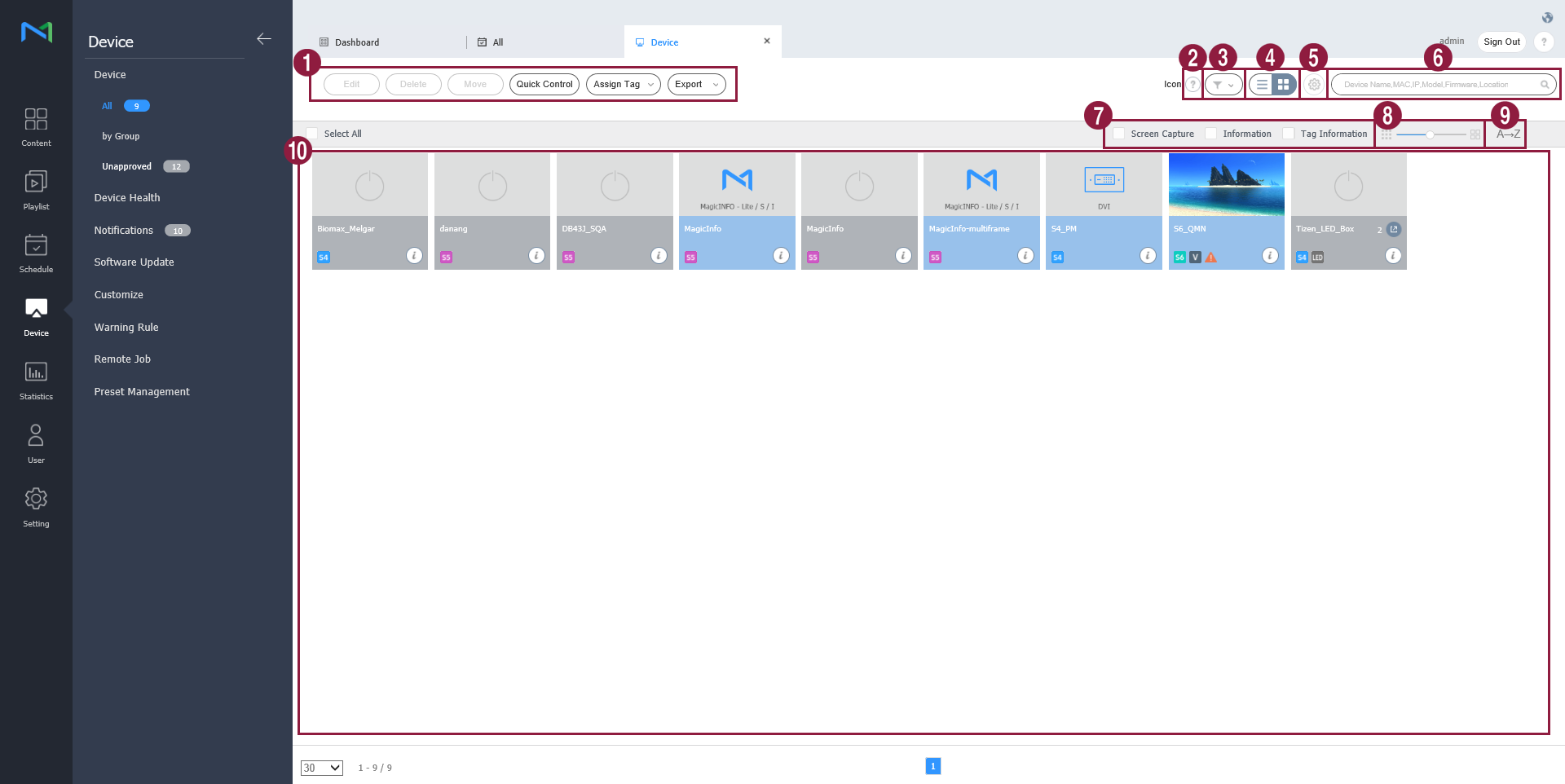
| 1 |
|
| 2 | View a description of icons displayed on the device list. |
| 3 | Filter the device list to view specific devices only. Select a condition from the filter settings window and click Save. Note When you select Device Type, only devices that currently have licenses registered to MagicINFO Server appear. |
| 4 | Change the view mode for the device list.
|
| 5 | Configure device polling settings. |
| 6 | Search devices by using keywords. |
| 7 | Select info items to display in thumbnails. This option appears only when the device view mode is set to thumbnail mode. |
| 8 | Adjust the size of thumbnails. This option appears only when the device view mode is set to thumbnail mode. |
| 9 | Display the device list in alphabetical or reverse alphabetical order. This option appears only when the device view mode is set to thumbnail mode. |
| 10 | View the list of devices.
|


