
View overall information, e.g., the usage status of all devices and data items that were played using key indexes. Retrieved data is shown in visual format, e.g., graphs and a table, so that you can obtain an intuitive view of overall information by period.
- From the menu bar on the Insight screen, click Summary .
Set the analysis period in the search area at the top. Analysis result is displayed based on the period specified in Settings > Index Settings > Date Range .
Note
- To select all data items or only analyze specific data items, click Open Detailed Search . It is possible to select specific device groups or key indexes, as well as a search period. It is also possible to analyze data collected during a maximum of 60 days within the last two years.
- Logs and processed data are retained for a maximum of two years.
Click Search . The statistics that match the search conditions are presented in graphs and a table.
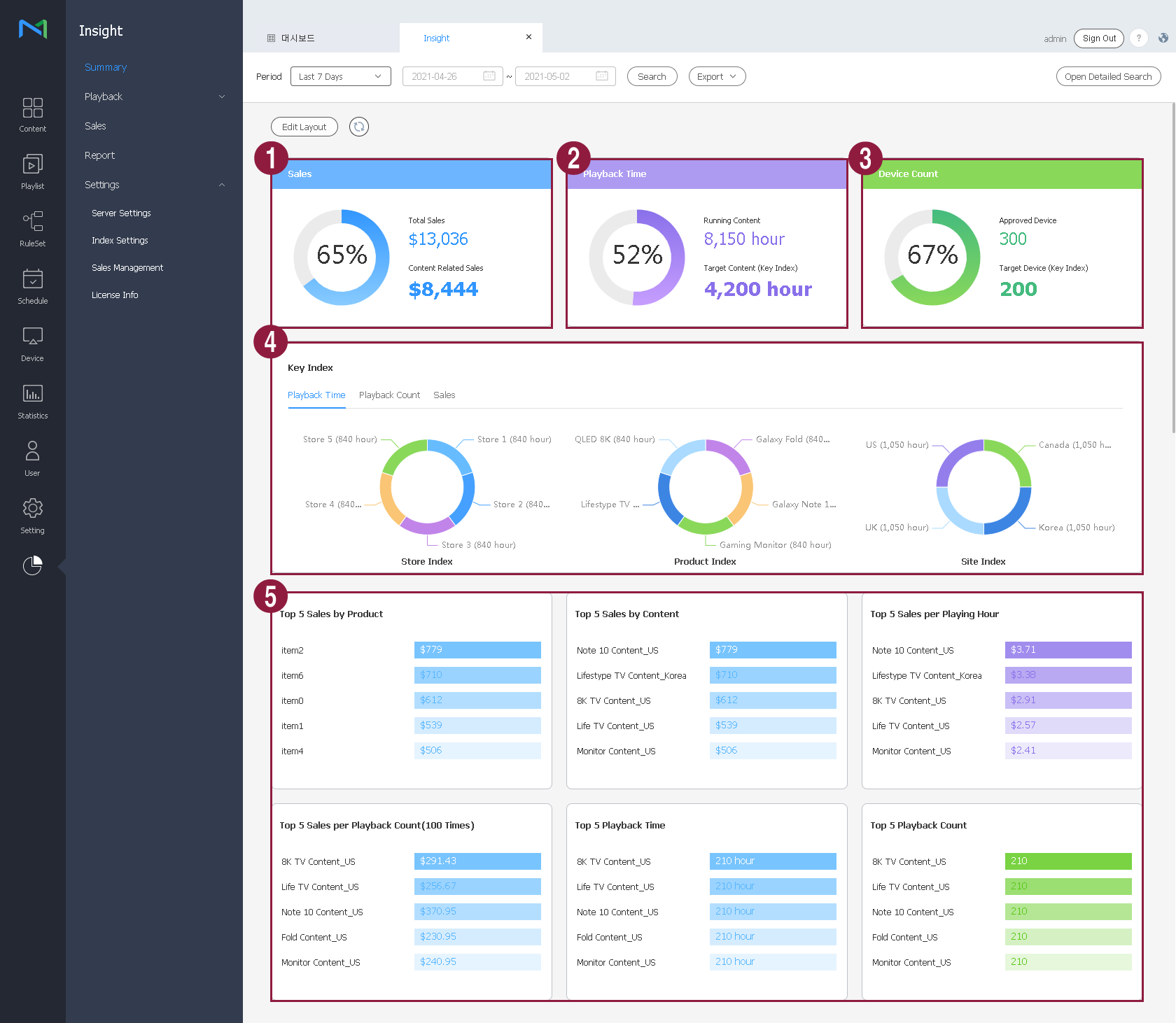
- To save retrieved statistics as a PDF or HTML file, click Export .
Understanding retrieved data
The following data items are displayed. A "sales" graph is also displayed if there is sales data.
| 1 | Sales | View the sales related to content items that were registered using key indexes, compared to the total sales. |
| 2 | Playback time | View the playback time of all content. View the duration of playback that used key indexes. |
| 3 | Number of devices | View the total number of devices that were used for playback. View the number of devices that were used for playback using key indexes. |
| 4 | Key indexes | View details of indexes that were used as key indexes.
|
| 5 | Top 5 content | View the rankings of content items that were played using key indexes, based on the sales, playback count, and playback time. The sales-related graph will also be activated if there is sales data.
|