
- Click VWL Layout Manage > Setting > New.
- 원하는 레이아웃 타입 및 장치 개수를 설정한 후 만들기를 클릭하세요.
- VWL Layout Editor will launch.
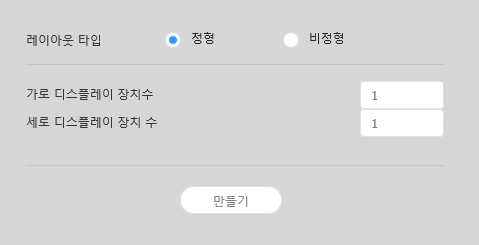
Layout types - 정형: 장치를 2X2, 3X4 등 직사각형 형태로 정렬하여 고정된 형태의 비디오월을 구성합니다.
- 비정형: 장치를 사용자가 원하는 형태로 자유롭게 배치할 수 있습니다.
Number of Displays The number of horizontal X vertical devices to configure a VideoWall layout. 참고
Configuring layouts depends on the selected layout type. This user manual is based on the irregular type.
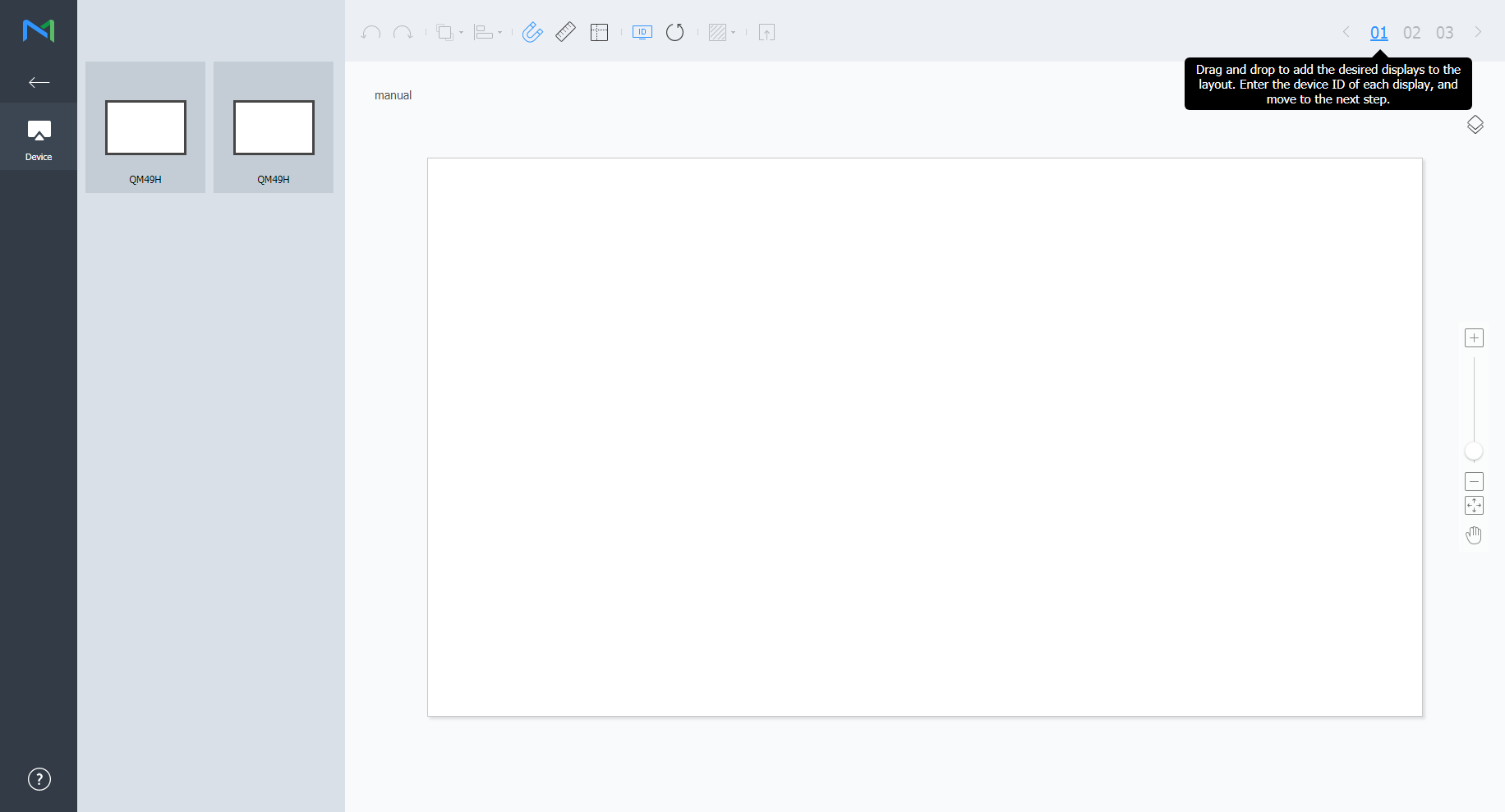
Select devices from the list and drag them into the editor section.
Note
This step will not be available if you chose the the regular type for your layout.
Enter the device ID for each device and click 02.
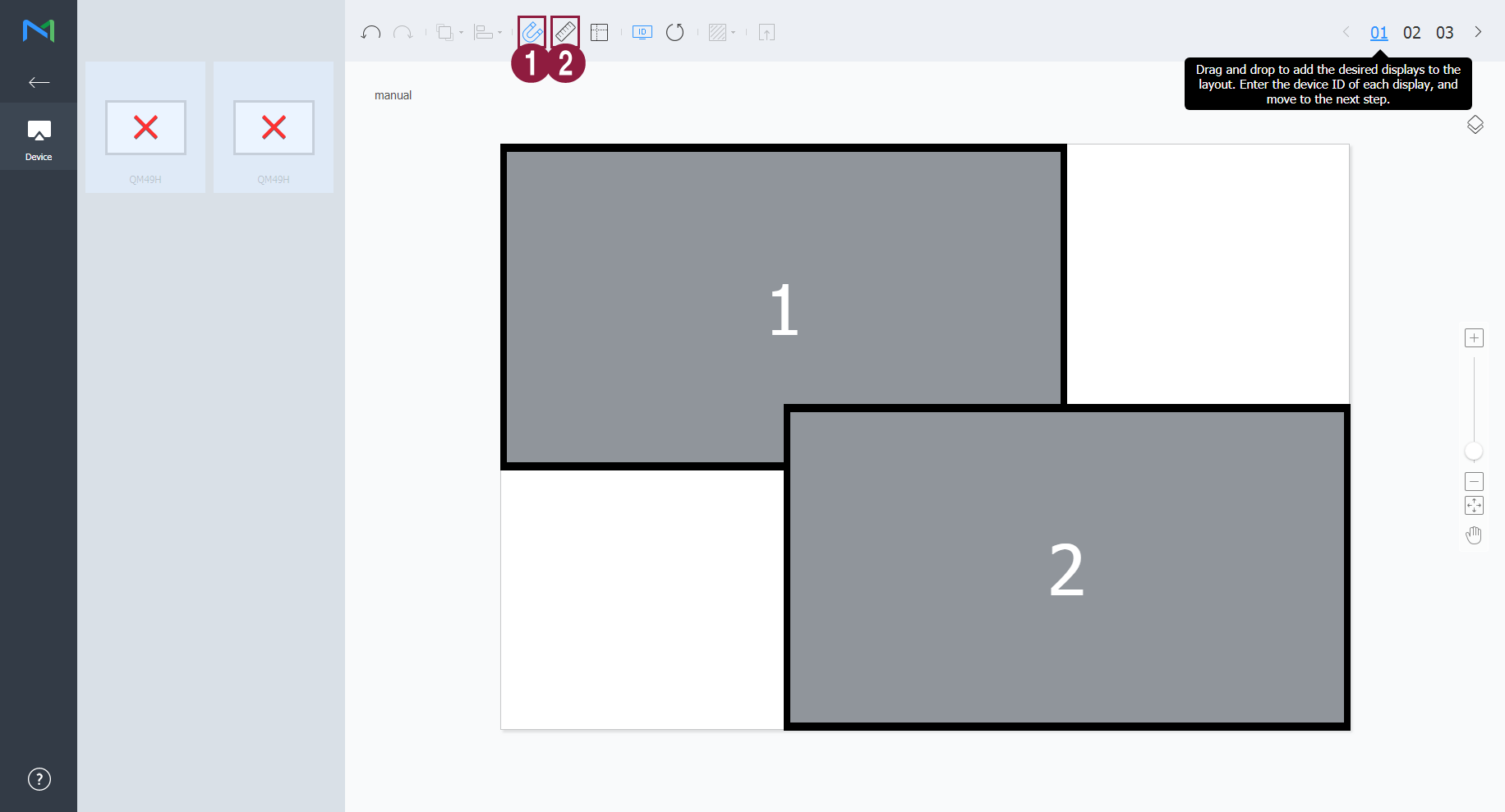
1 Display the device ID on the relevant device screen. 2 Initialize the device ID for that device. Adjust the device positions and click 03.

1  : Undo the last command to revert back to the previous state.
 : Redo a command that has been undone.
 : Align several devices based on desired alignment criteria.
 : Automatically arrange devices to fit the grid.
 : Display the ruler.
 : Display the guides.
 : Select the test pattern to display on the device.
 : Preview the device with the layout applied.
2 Adjust the device position more precisely. 3 Zoom in or out the editor screen view. Use the slide bar to adjust the zoom level. 4  : Adjust the aspect ratio and position of the editor to fit the window to overview devices.
 : Move the selected device.
5 You can review the VWL Layout Editor version and the open source license information. - After configuring the layout, click Yes.
- The VideoWall layout will be saved to the server.