Versions Compared

Key

  • This line was added.
  • This line was removed.
  • Formatting was changed.
Comment: Content imported from a Scroll Translations translation file.

...

Sv translation
languageen

It is possible to group several indexes to create an upper-level index, which is called a “key index.” To analyze data using MagicINFO Insight , you should set a key index. The process of data analysis after setting of a key index may take a while.

To set a key index, follow the steps below.

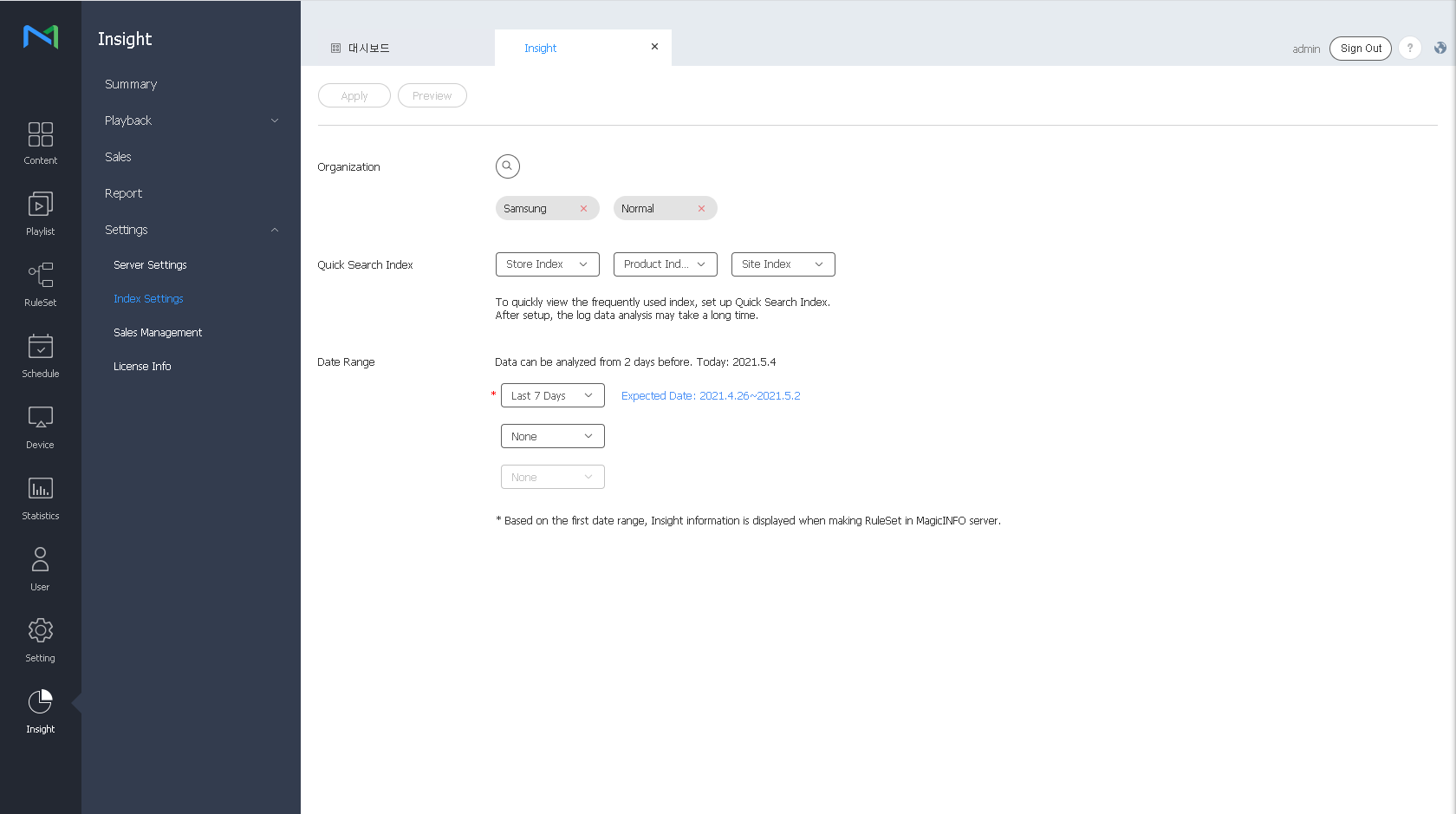
  1. On From the menu bar on the Insight screen, click Settings > Key Index Settings
  2. Select the key indexes to analyze. It is possible to You can select a maximum of three key indexes for quick search. You can also set the period to analyze data by using the Date Range option. Data collected until two days ago is analyzed.

    Stylesheet
    classscreen

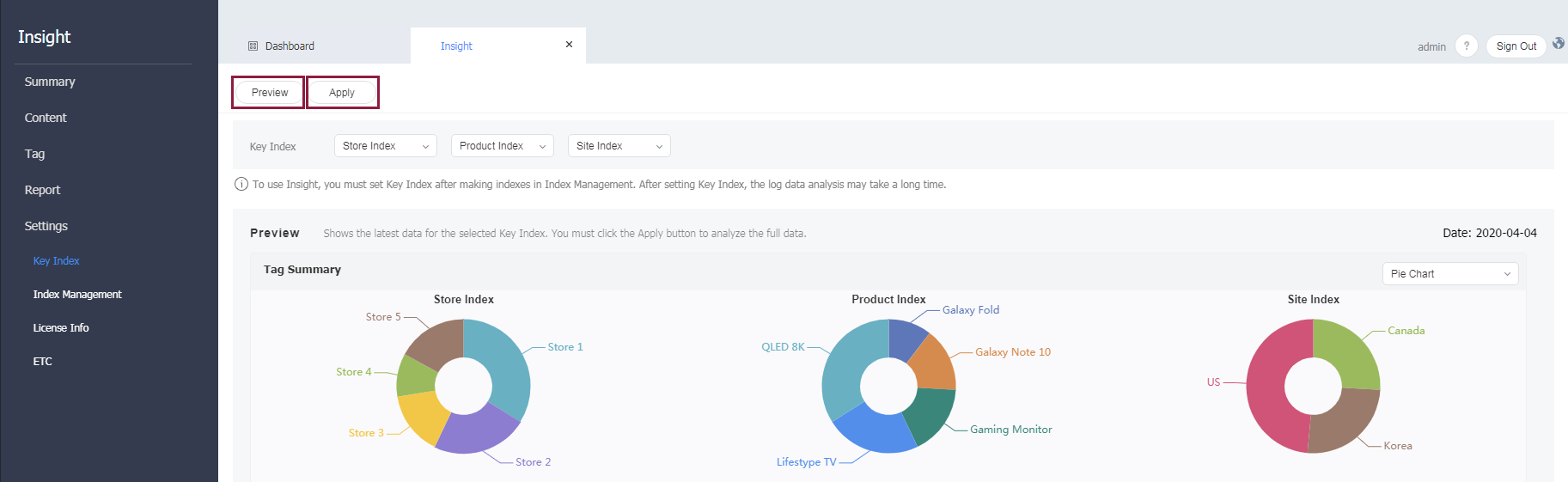
  3. To preview the results of analysis of the selected key indexes, click the Preview button.
    Stylesheet
    classscreen

    Image Removed

  4. To apply settings that have been configured, click the Apply  button. A confirmation window appears.
  5. Click the Apply  button.
Info
titleNote
  • If you perform new analysis by applying a key index, the data that has been collected since the previous month is updated.
  • Data is not updated until key indexes are applied. The process of data analysis may take a while, depending on the amount of collected data.
  • When a RuleSet is created from the MagicINFO Server, Insight information is displayed based on the first item.