Versions Compared

Key

  • This line was added.
  • This line was removed.
  • Formatting was changed.
Comment: Removed translated content for 'de'
Sv translation
languageko
  1. 대시보드 화면에서  클릭하세요.
  2. 메뉴 목록에서 원하는 기능을 실행하세요.

    Stylesheet
    classscreen
    1

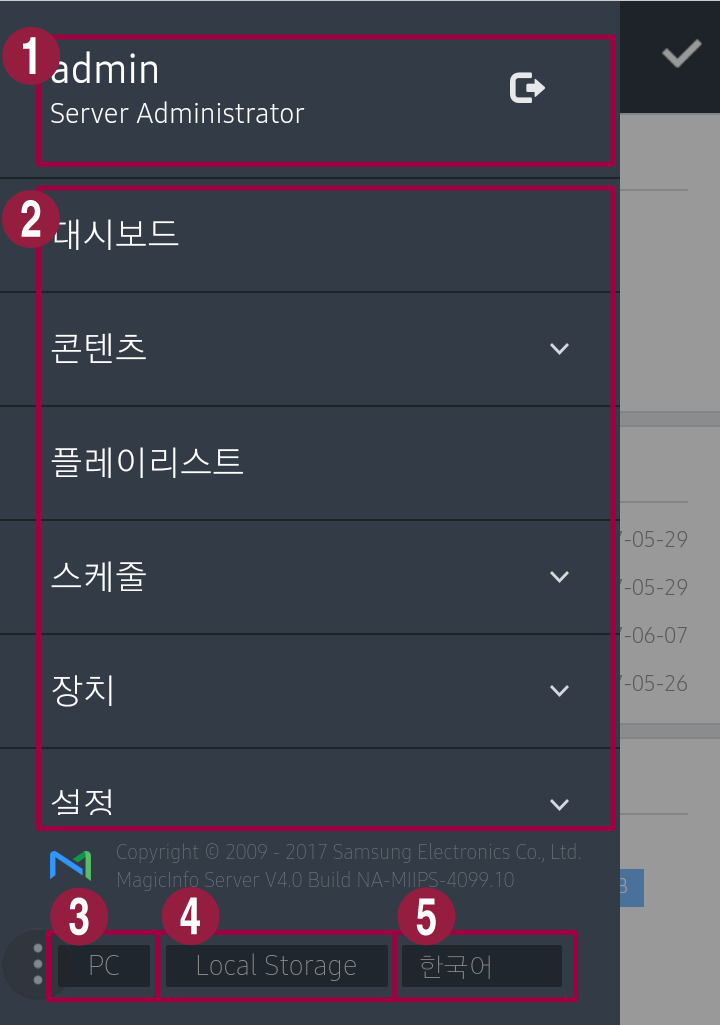
    현재 로그인한 사용자의 ID를 보여줍니다. 로그아웃하려면 클릭하세요.

    2Mobile에서 제공하는 메인 메뉴 모음입니다. 각 메뉴를 클릭하면 해당 기능 화면으로 이동합니다.
    3Mobile이 아닌 MagicINFO Server로 접속할 수 있습니다.
    4접속 정보를 확인할 수 있습니다.
    5표시 언어를 변경할 수 있습니다.
Sv translation
languageen
  1. 대시보드 화면에서 Image Removed 클릭하세요.
  2. 메뉴 목록에서 원하는 기능을 실행하세요In the dashboard screen, click Image Added.
  3. Use the menu list to perform desired functions.

    Stylesheet
    classscreen
    Image RemovedImage Added
    1

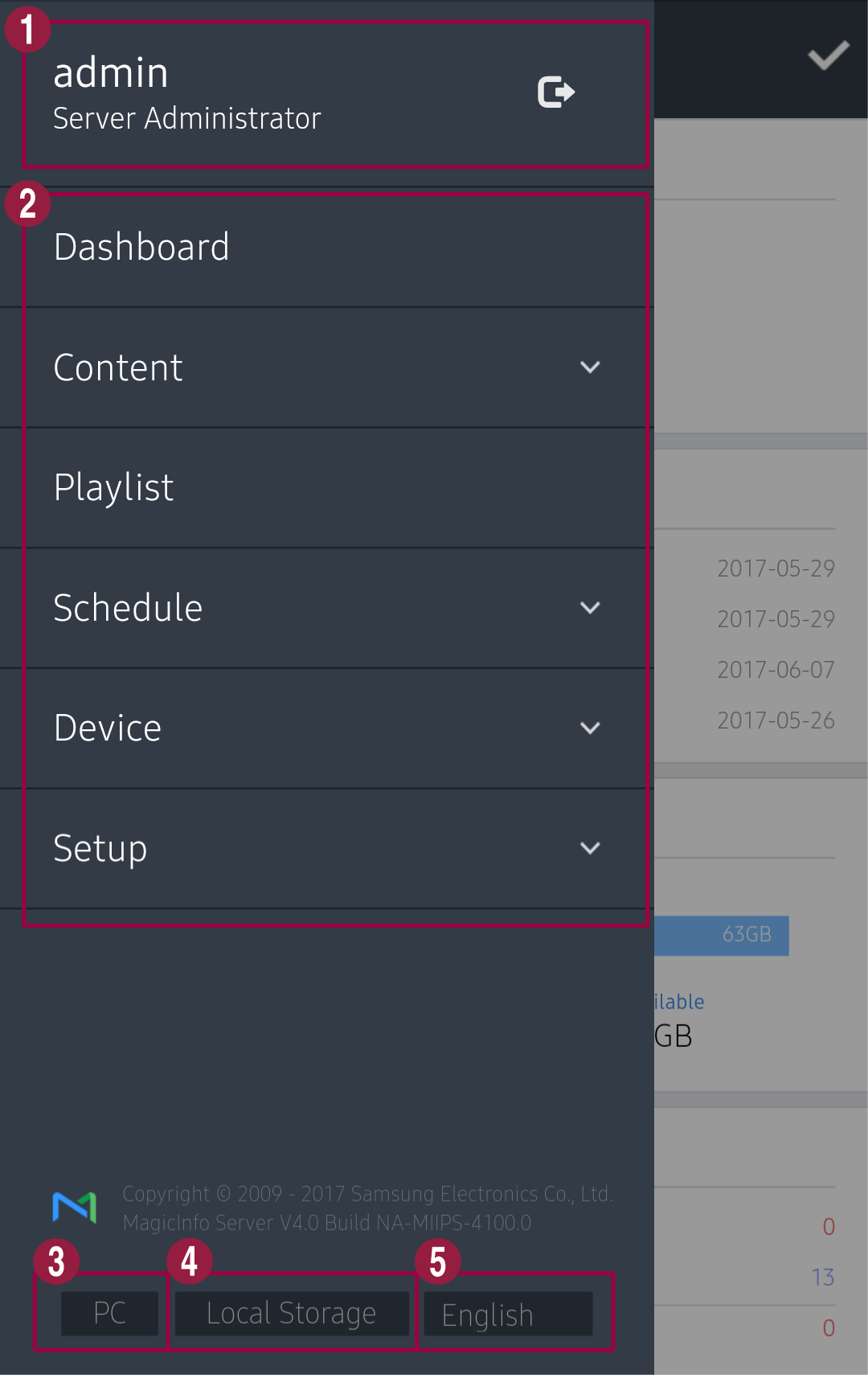
    현재 로그인한 사용자의 ID를 보여줍니다. 로그아웃하려면 Image Removed 클릭하세요View the currently logged in user ID. To sign out, click Image Added.

    2Mobile에서 제공하는 메인 메뉴 모음입니다. 각 메뉴를 클릭하면 해당 기능 화면으로 이동합니다Main menus provided in Mobile. Click a menu item to display the related menu page.
    3Mobile이 아닌 MagicINFO Server로 접속할 수 있습니다Connect to MagicINFO Server, instead of Mobile.
    4접속 정보를 확인할 수 있습니다View connection information.
    5표시 언어를 변경할 수 있습니다Change the display language.