Versions Compared

Key

  • This line was added.
  • This line was removed.
  • Formatting was changed.
Comment: Content imported from a Scroll Translations translation file.
Sv translation
languageko_KR

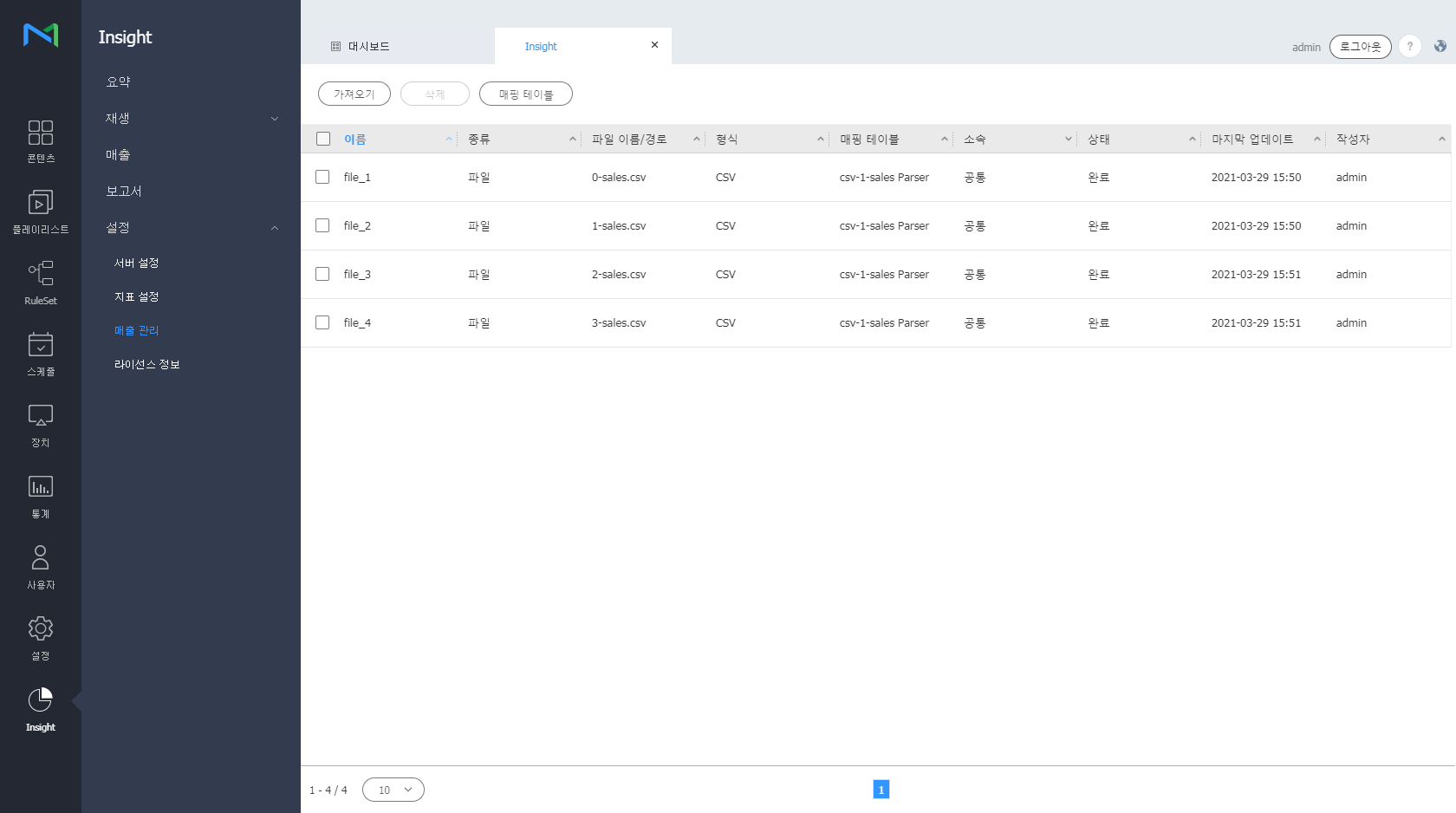
매출 데이터를 원하는 기준에 따라 매핑하여 편리하게 관리할 수 있으며, 매핑한 정보들은 Sales 대시보드에서 확인할 수 있습니다.

Insight 화면 메뉴바에서 설정 >

...

매출 관리를 클릭하세요.

Stylesheet
classscreen
Image Removed

Image Added


매출 데이터 매핑 테이블 추가하기

...

  1. 매핑 테이블 버튼을 누르세요.

...

  1. 추가 버튼을 누르세요.
  2. 추가할 매핑 테이블의 이름 등의 정보를 입력하세요.
  3. 하단의

...

  1. 추가 버튼을 누르세요. 매핑 테이블이 추가됩니다.

매출 데이터 가져오기

...

  1. 가져오기 버튼을 클릭하세요. 팝업창이 뜹니다.
  2. 매출 데이터의 이름, 타입, 위치, 매핑 테이블 등의 정보를 입력하세요.

    • 위치와 매핑의 경우, 이전에 추가한 이력이 있다면 드롭다운 리스트로 나타납니다.
  3. 하단의

...

  1. 확인 버튼을 누르세요. 매출 데이터가 화면에 나열됩니다.

매출 데이터 삭제하기

  1. 리스트에서 끌어온 매출 데이터의 체크박스를 선택하세요.

...

  1. 삭제 버튼을 누르세요. 데이터가 삭제됩니다.

    Info
    title

...

  1. 참고
    • 리스트에서

...

    • 이름칼럼을 선택하여 매출 데이터 편집을 할 수 있습니다.
    • 매출 데이터 편집은 Upload Type이 Path일 경우에만 가능합니다.
Sv translation
languageen

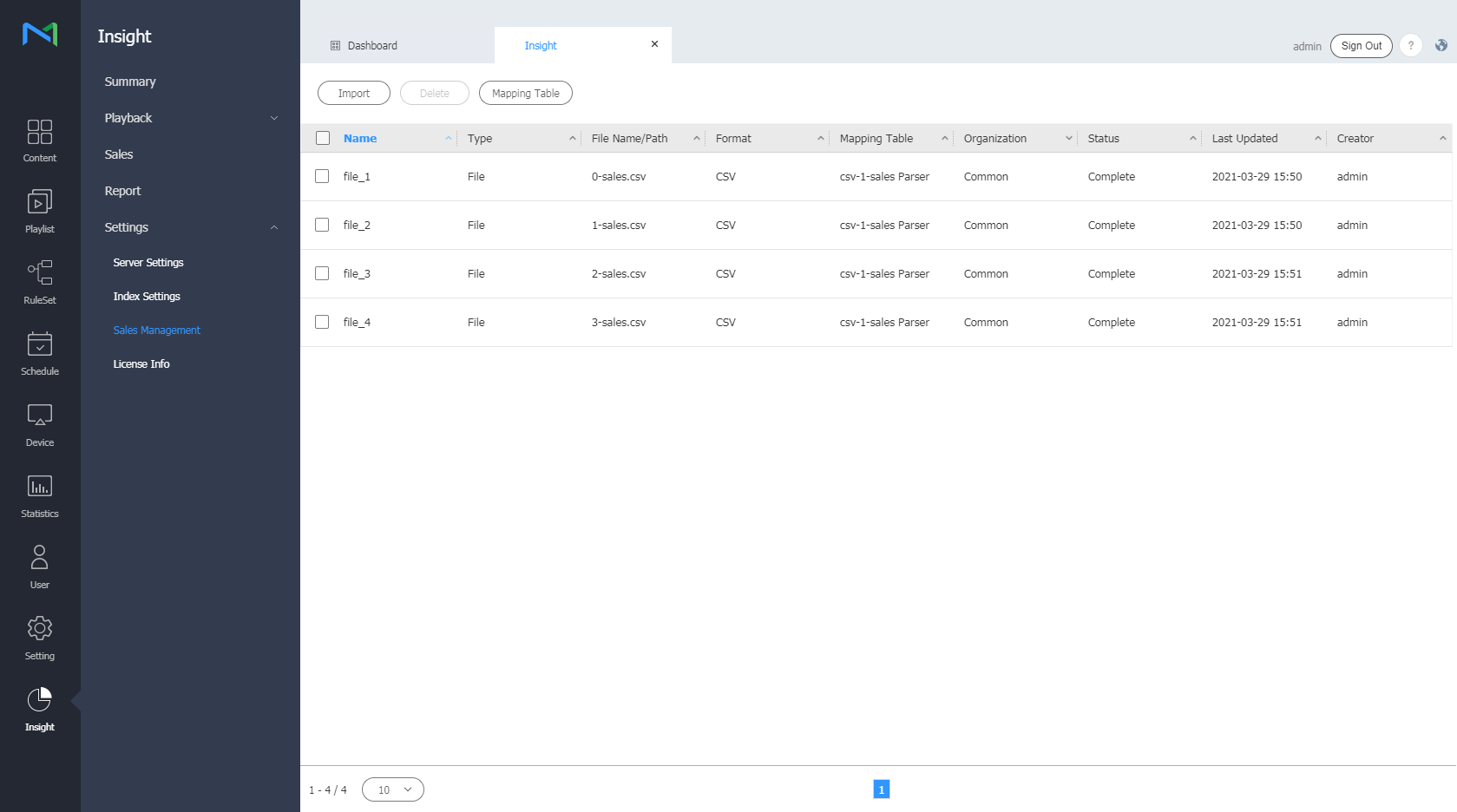
Manage sales data easily by mapping the data based on specific criteria. Mapped data can be viewed from the Sales dashboard.

From the menu bar on the Insight screen, click Settings > Sales Management .

Stylesheet
classscreen

Image Added


Adding a sales data mapping table

  1. Click the Mapping Table button.
  2. Click the Add  button.
  3. Enter a name and other information of the mapping table to add.
  4. Click the Add  button at the bottom. The mapping table is added.

Importing sales data

  1. Click the Import button. A pop-up window appears.
  2. Enter the sales data name, type, location, and mapping table information.

    • The location and mapping information appears as a dropdown list if it was previously added.
  3. Click the OK button at the bottom. Sales data appears on the screen.

Deleting sales data

  1. Select the checkbox of the sales data brought from the list.
  2. Click the Delete  button. The data is deleted.

    Info
    titleNote
    • To edit sales data, select the " Name " column from the list.
    • Sales data can only be edited when Upload Type is set to Path.