Page History
...
| Sv translation | |||||||||||||||||||||||||||||||||||||||||||||||||||||||||||||||||||||||||||||||||||||||||||||||||||||||||||||||||||||||||||||||||||||||||||||||||||||||||||||||||||||||||||||
|---|---|---|---|---|---|---|---|---|---|---|---|---|---|---|---|---|---|---|---|---|---|---|---|---|---|---|---|---|---|---|---|---|---|---|---|---|---|---|---|---|---|---|---|---|---|---|---|---|---|---|---|---|---|---|---|---|---|---|---|---|---|---|---|---|---|---|---|---|---|---|---|---|---|---|---|---|---|---|---|---|---|---|---|---|---|---|---|---|---|---|---|---|---|---|---|---|---|---|---|---|---|---|---|---|---|---|---|---|---|---|---|---|---|---|---|---|---|---|---|---|---|---|---|---|---|---|---|---|---|---|---|---|---|---|---|---|---|---|---|---|---|---|---|---|---|---|---|---|---|---|---|---|---|---|---|---|---|---|---|---|---|---|---|---|---|---|---|---|---|---|---|---|---|
| |||||||||||||||||||||||||||||||||||||||||||||||||||||||||||||||||||||||||||||||||||||||||||||||||||||||||||||||||||||||||||||||||||||||||||||||||||||||||||||||||||||||||||||
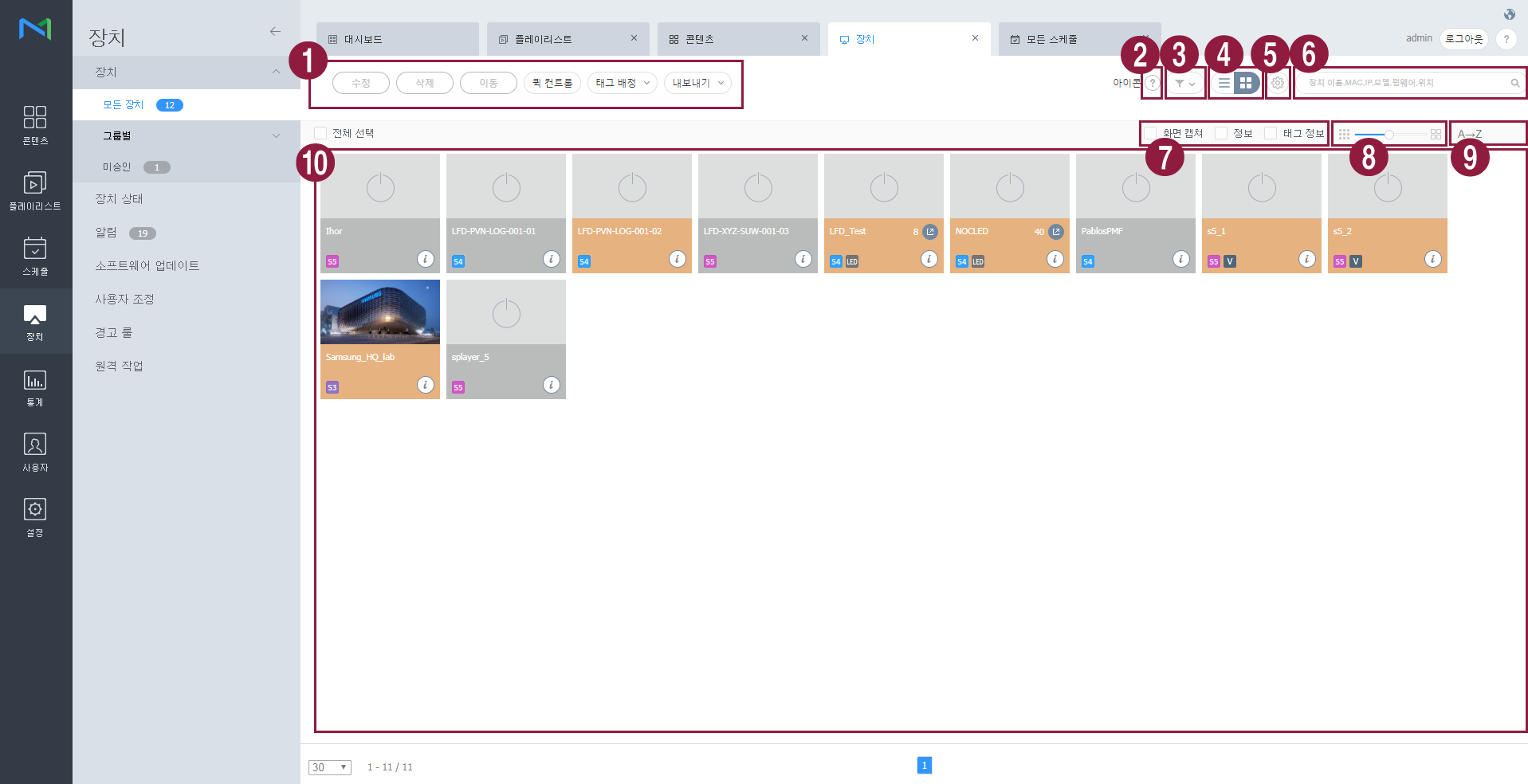
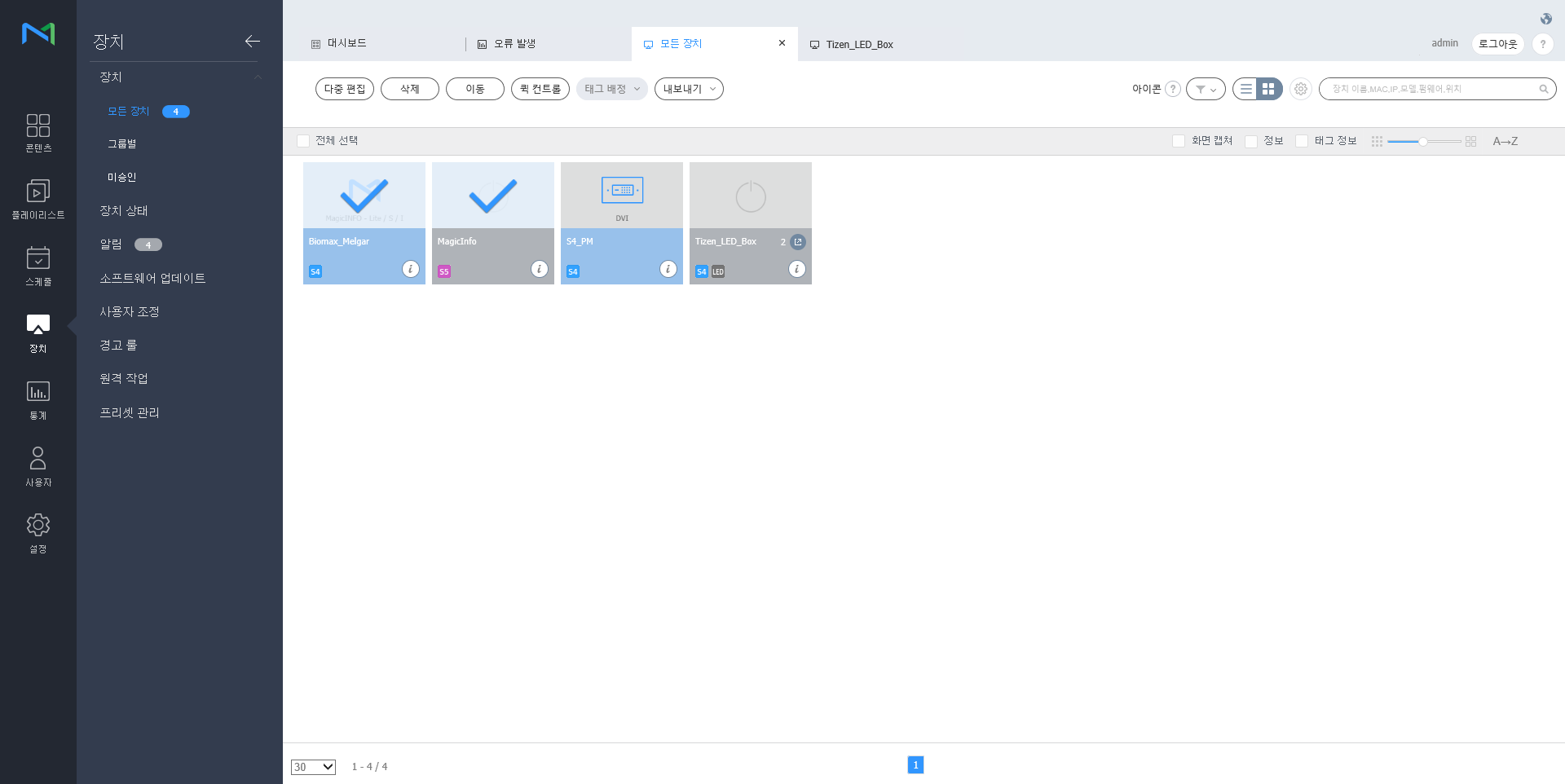
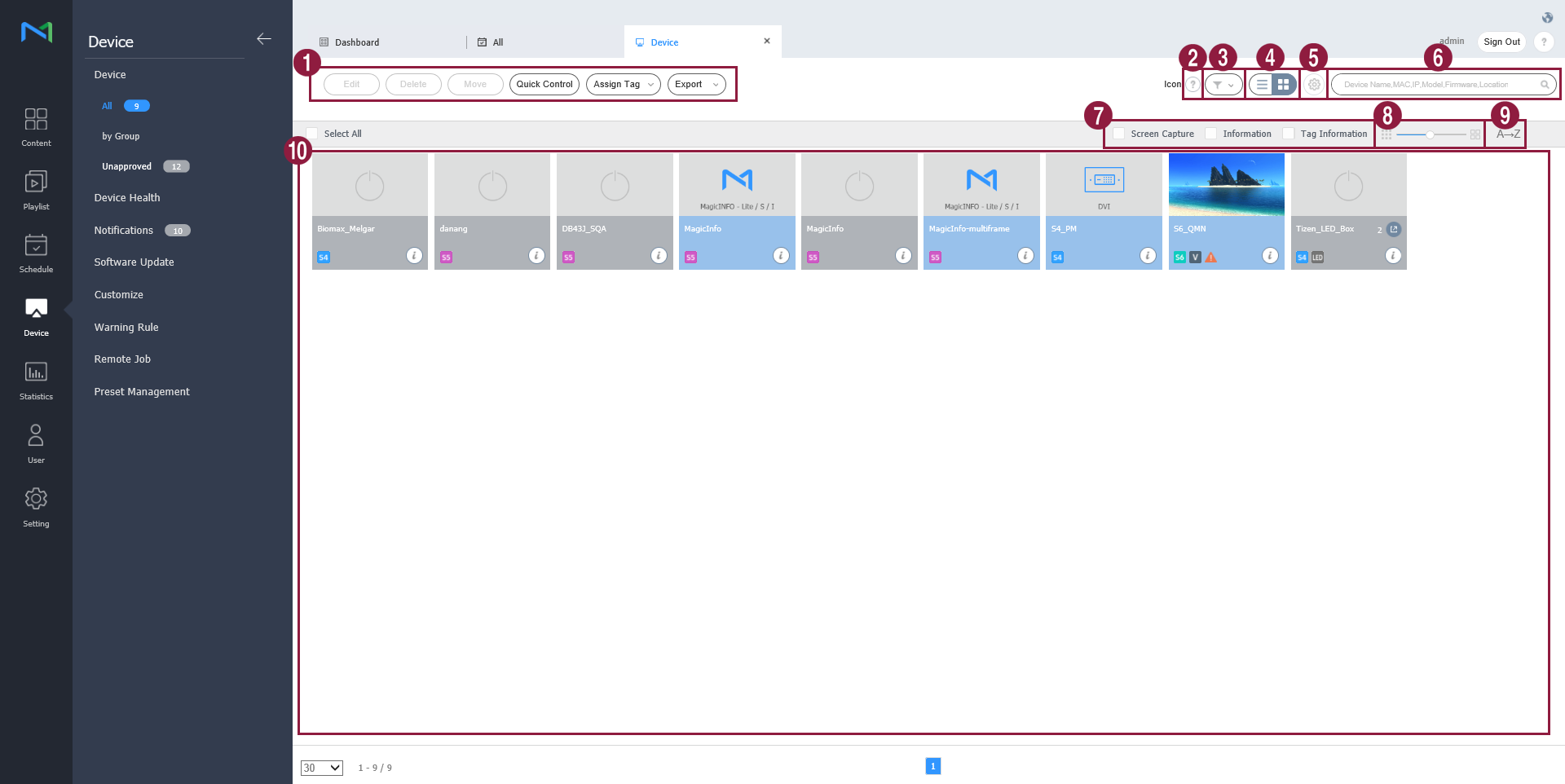
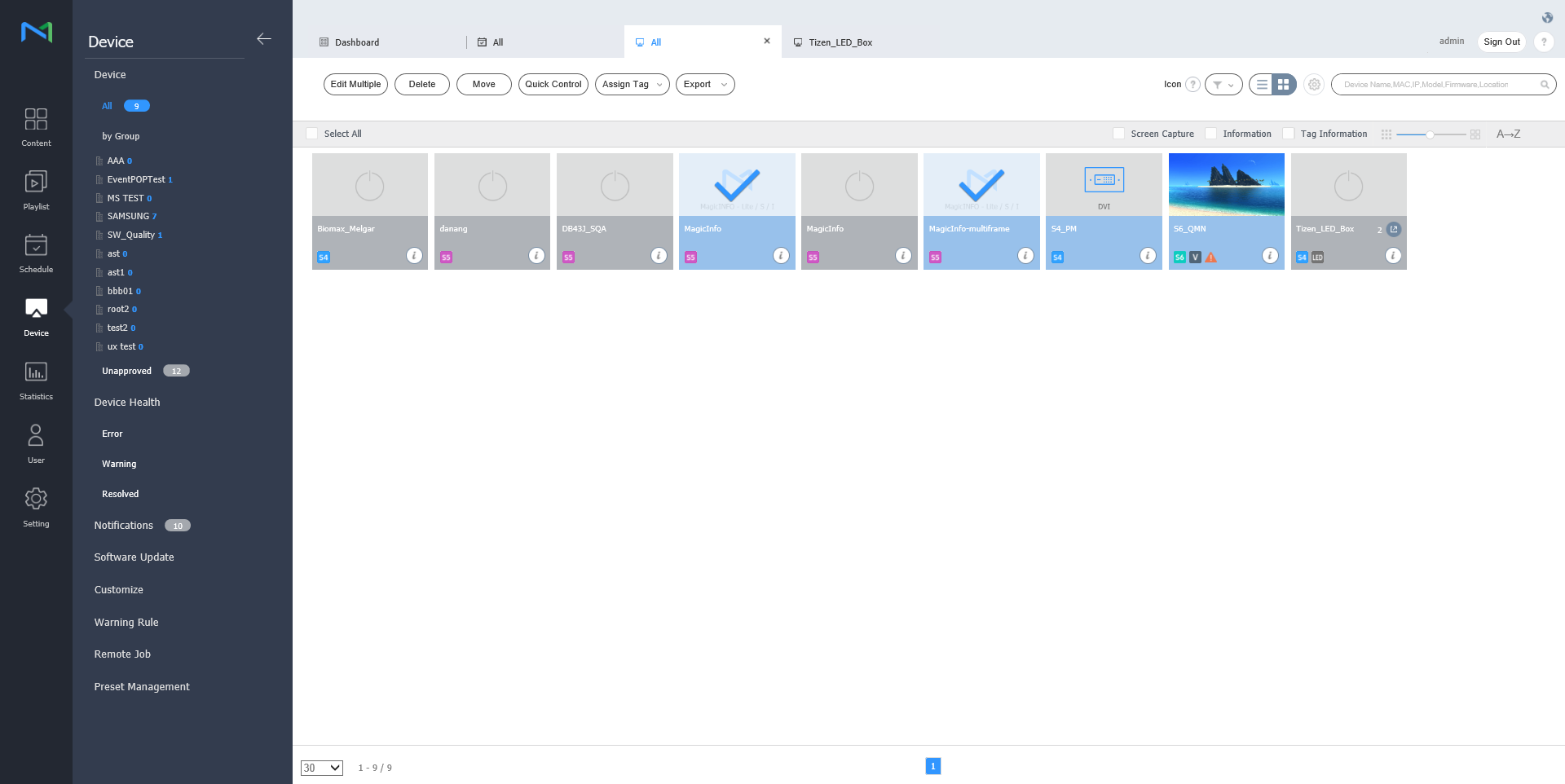
View devices connected to MagicInfo Server, retrieve details for each device, and remotely control devices. Create groups for each organization to manage devices by the group. For each organization, a default group is created by default. Click Device from the sub-menu items.
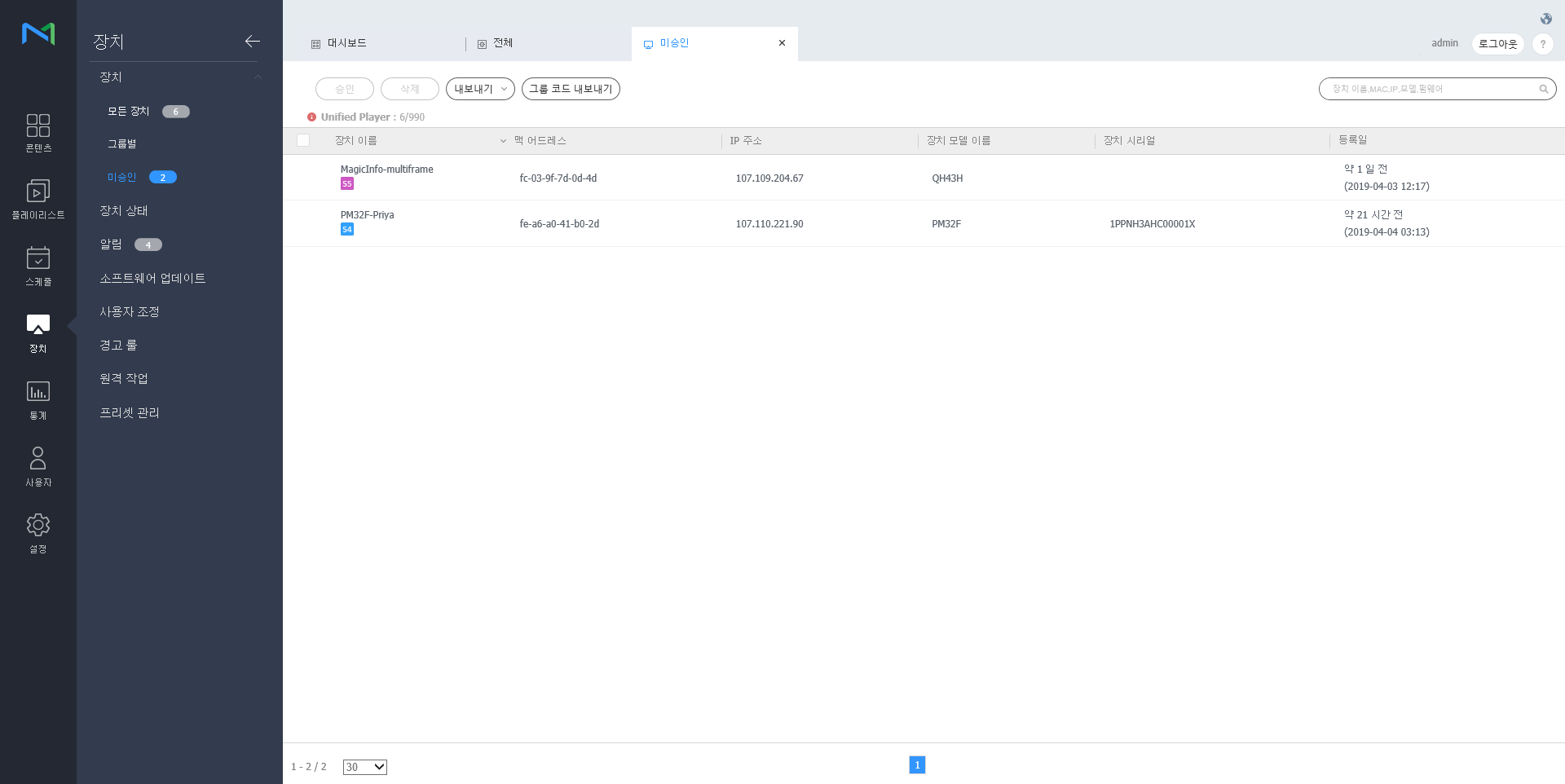
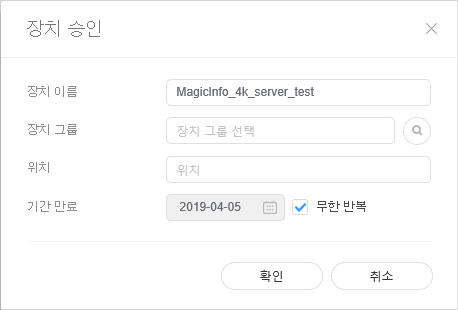
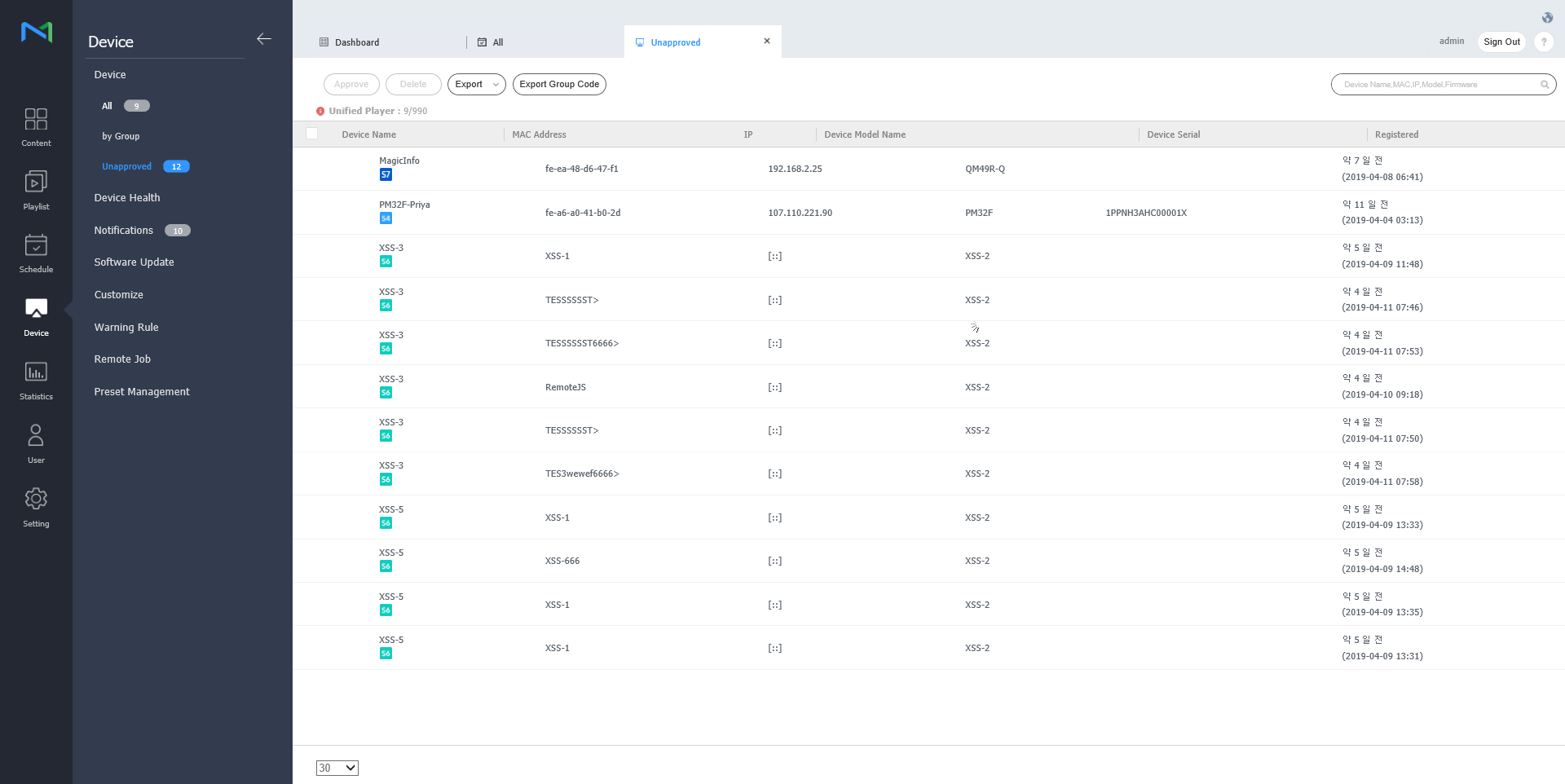
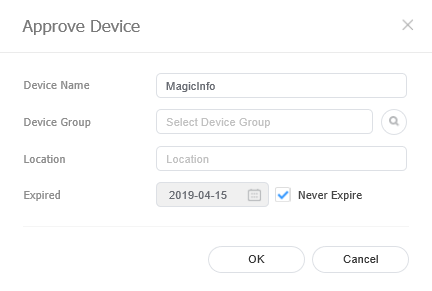
Authorizing devicesView and authorize devices that are connected to MagicInfo Server but not authorized.
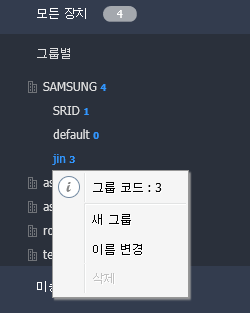
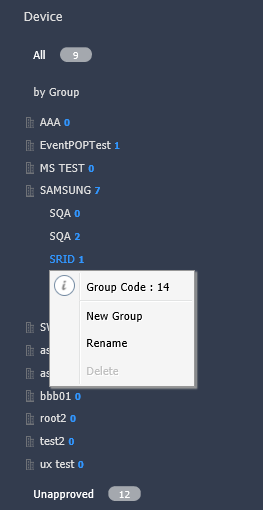
Managing device groups
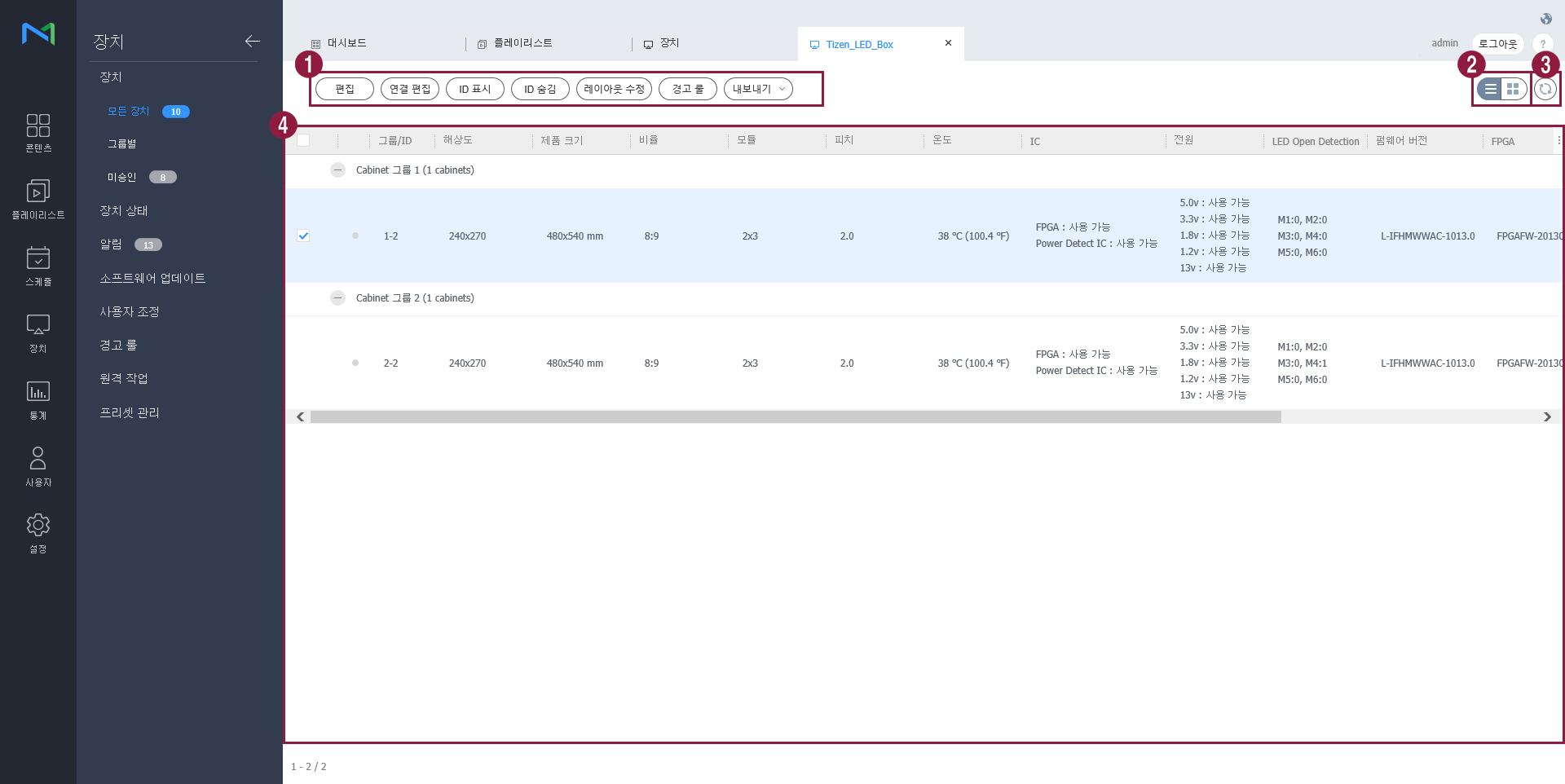
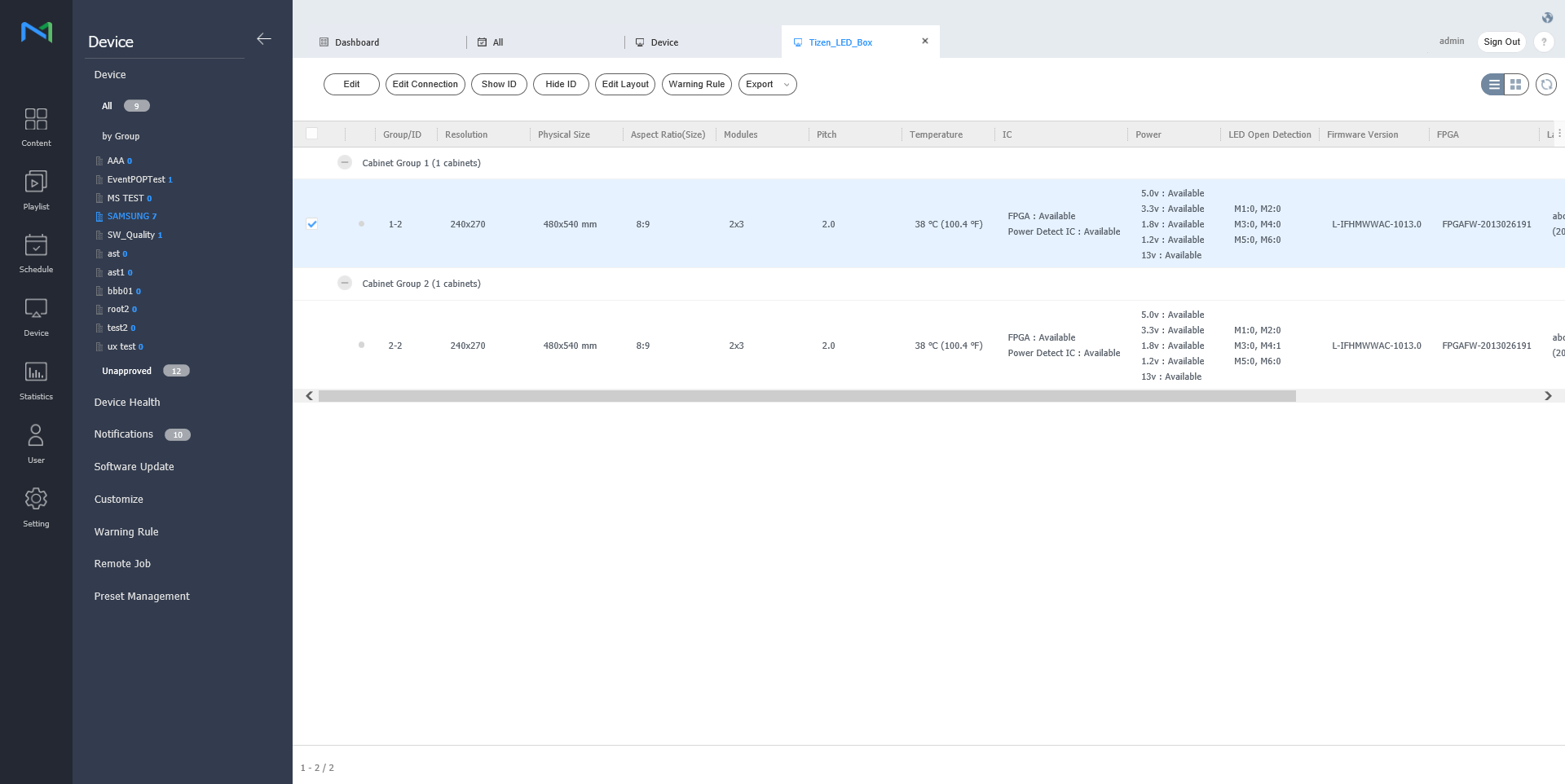
You can check for the information of LED device that is connected to MagicInfo Server or manage the cabinet that is connected to LED. Click on
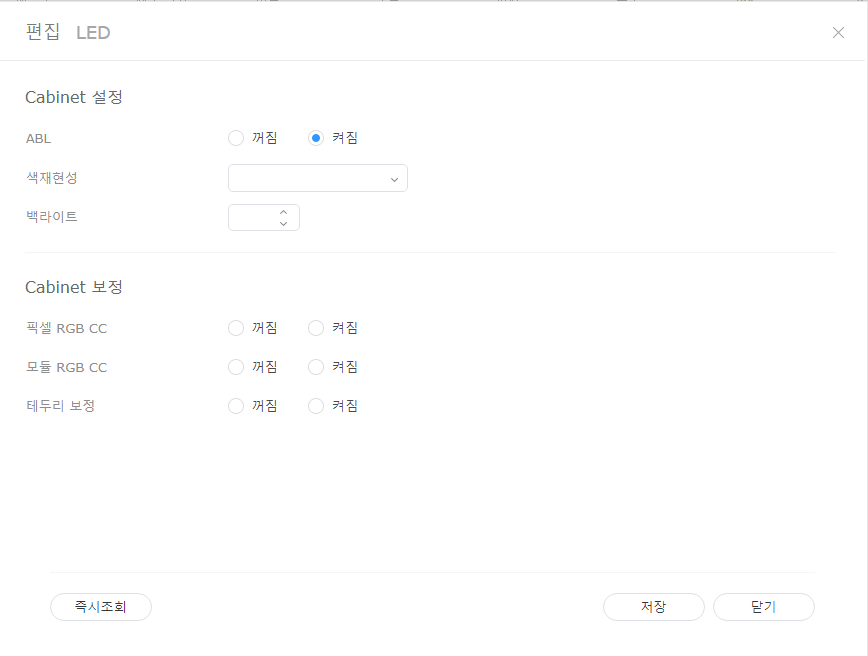
Modify LED information
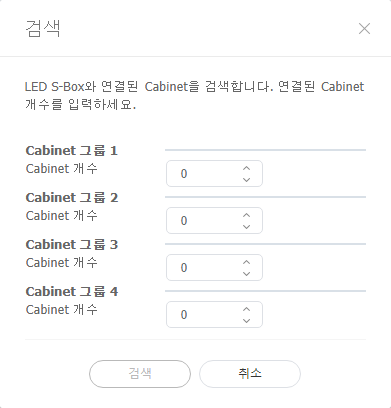
Search cabinetYou can search for the cabinet that is connected to LED device.
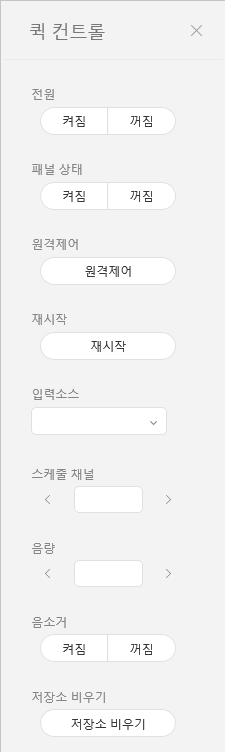
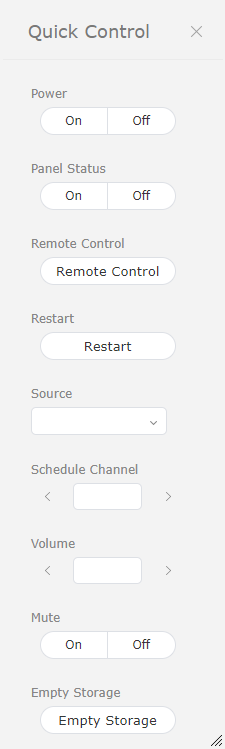
Quick Control is the collection of frequently used remote device control functions. To use Quick Control dashboard, select a device from the list and click Quick Control.
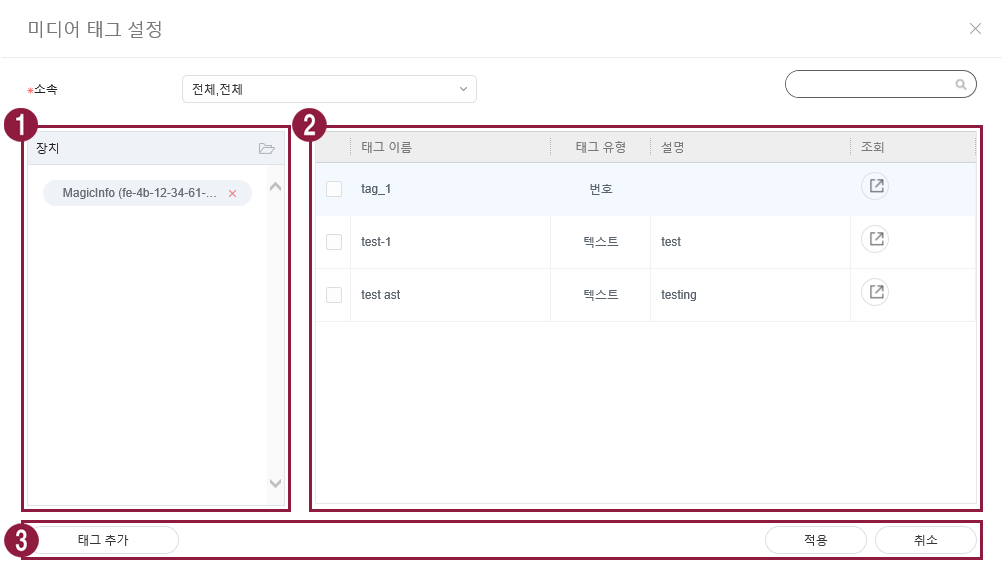
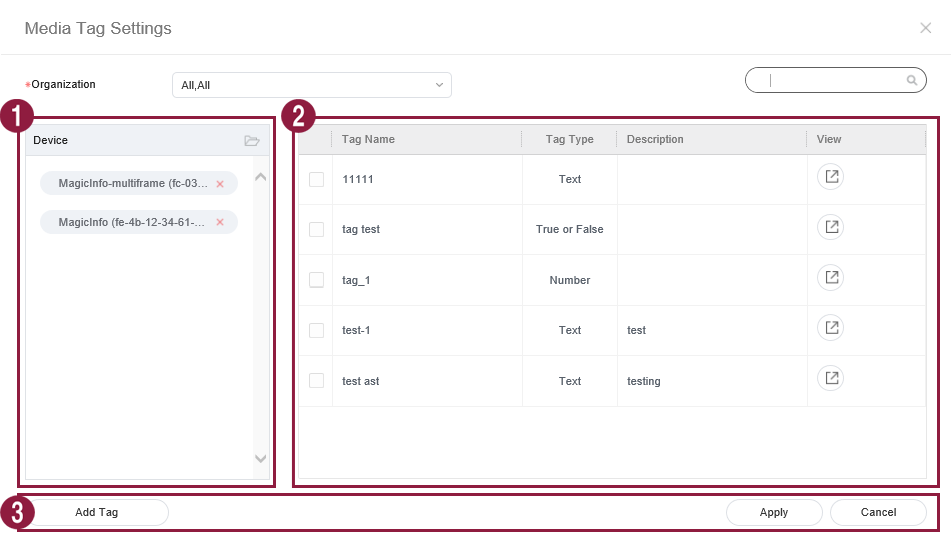
Assign a tag to a device. This allows the device to selectively display information that satisfies conditions of the tag assigned to a DLK element or playlist.
|




| Sv translation | |||||||||||||||||||||||||||||||||||||||||||||||||||||||||||||||||||||||||||||||||||||||||||||||||||||||||||||||||||||||||||||||||||||||||||||||||||||||||||||||||||||||||||||||||||||||||||||||||||||||||||||||||||||||||||||||||||||||||||||||||||||||
|---|---|---|---|---|---|---|---|---|---|---|---|---|---|---|---|---|---|---|---|---|---|---|---|---|---|---|---|---|---|---|---|---|---|---|---|---|---|---|---|---|---|---|---|---|---|---|---|---|---|---|---|---|---|---|---|---|---|---|---|---|---|---|---|---|---|---|---|---|---|---|---|---|---|---|---|---|---|---|---|---|---|---|---|---|---|---|---|---|---|---|---|---|---|---|---|---|---|---|---|---|---|---|---|---|---|---|---|---|---|---|---|---|---|---|---|---|---|---|---|---|---|---|---|---|---|---|---|---|---|---|---|---|---|---|---|---|---|---|---|---|---|---|---|---|---|---|---|---|---|---|---|---|---|---|---|---|---|---|---|---|---|---|---|---|---|---|---|---|---|---|---|---|---|---|---|---|---|---|---|---|---|---|---|---|---|---|---|---|---|---|---|---|---|---|---|---|---|---|---|---|---|---|---|---|---|---|---|---|---|---|---|---|---|---|---|---|---|---|---|---|---|---|---|---|---|---|---|---|---|---|---|---|---|---|---|---|---|---|---|---|---|---|---|---|---|---|---|
| |||||||||||||||||||||||||||||||||||||||||||||||||||||||||||||||||||||||||||||||||||||||||||||||||||||||||||||||||||||||||||||||||||||||||||||||||||||||||||||||||||||||||||||||||||||||||||||||||||||||||||||||||||||||||||||||||||||||||||||||||||||||
È possibile visualizzare i dispositivi connessi a Zeigen Sie die mit dem MagicInfo Server , recuperare i dettagli relativi a ciascun dispositivo e monitorare/controllare in remoto i dispositivi. È inoltre possibile creare gruppi per ciascuna organizzazione al fine di gestire i dispositivi per gruppo. In ciascuna organizzazione, per impostazione predefinita viene creato un gruppo di default. Cliccare su Dispositivo nel sottomenu. verbundenen Geräte an, rufen Sie Details für jedes Gerät auf und überwachen Sie die Geräte/ steuern Sie die Geräte fern. Erstellen Sie für jede Organisation Gruppen, um Geräte nach Gruppen zu verwalten. In jeder Organisation wird standardmäßig eine Gruppe default erstellt. Klicken Sie im Untermenü auf Gerät.
Autorizzazione di dispositiviÈ possibile visualizzare e autorizzare i dispositivi che sono connessi a MagicInfo Server ma non autorizzati. Cliccare su Dispositivo > Non approvato. Vengono visualizzati i dispositivi non approvati
Genehmigen von GerätenZeigen Sie mit dem MagicInfo Server verbundene Geräte an, die nicht autorisiert sind, und autorisieren Sie diese.
Gestione dei gruppi di dispositivi
Verwalten von Gerätegruppen
LEDÈ possibile verificare le informazioni del dispositivo LED collegato a MagicInfo Server o gestire il case collegato al LED. Cliccare dall'elenco dei dispositivi. Si visualizza un elenco del case collegato al dispositivo LED dall'elenco dei dispositivi. Si visualizza un elenco del case collegato al dispositivo LED-Gerät verwaltenSie können die Informationen des LED-Geräts prüfen, das mit MagicInfo Server verbunden ist, oder den Schrank verwalten, der mit LED verbunden ist. Klicken Sie auf
Modifica informazioni LEDPer aggiornare lo stato corrente del dispositivo, cliccare su Stato corrente
LED-Informationen ändern
Ricerca caseÈ possibile cercare il case collegato al dispositivo LED.
Schrank suchenSie können den Schrank scannen, der mit dem LED-Gerät verbunden ist.
Controllo rapido è la raccolta delle funzioni telecomando utilizzate di frequente per i dispositivi. Per utilizzare la dashboard Controllo rapido, selezionare i dispositivi dall'elenco e cliccare su Controllo rapidoQuick ControlQuick Control ist eine Auswahl von häufig verwendeten Fernbedienungsfunktionen für die Geräte. Wählen Sie zum Nutzen des Dashboards Quick Control die Geräte aus der Liste aus und klicken Sie auf Quick Control.
Assegnare un tag a un dispositivo. In tal modo, sul dispositivo verranno visualizzate in maniera selettiva le informazioni che soddisfano le condizioni del tag assegnato a un elemento DLK o a una playlist. Selezionare un dispositivo dall'elenco dei dispositivi e cliccare su Assegna tag. È possibile selezionare più dispositiviZuweisen eines Tags zu einem GerätWeisen Sie einem Gerät ein Tag zu. So kann das Gerät selektiv Informationen anzeigen, die die Bedingungen des für ein DLK-Element oder für eine Wiedergabeliste zugewiesenen Tags erfüllen.
|