Page History
| Sv translation | |||||||||||||||
|---|---|---|---|---|---|---|---|---|---|---|---|---|---|---|---|
| |||||||||||||||
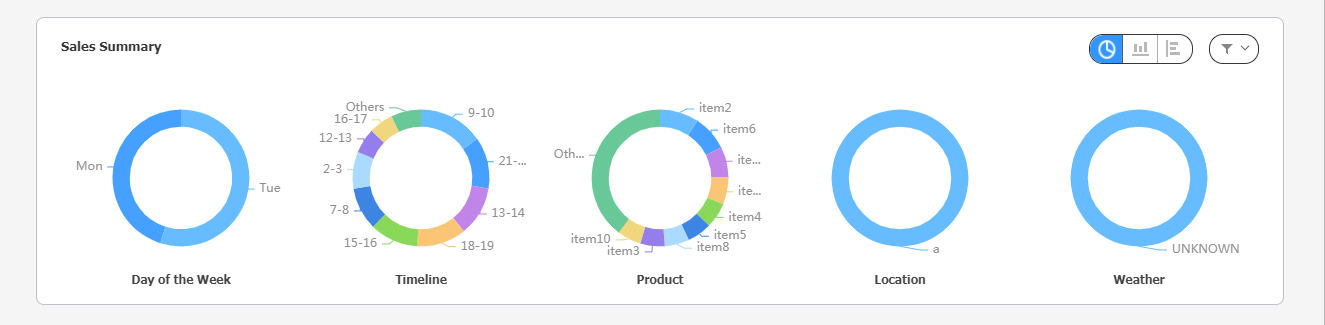
전체 매출 현황을 5가지 카테고리로 분석하여 한눈에 파악할 수 있습니다. 오른쪽 위의 아이콘을 선택하여 그래프의 종류를 바꾸거나 원하는 카테고리만 볼 수 있도록 변경할 수 있습니다.
|
| Sv translation | |||||||||||||||
|---|---|---|---|---|---|---|---|---|---|---|---|---|---|---|---|
| |||||||||||||||
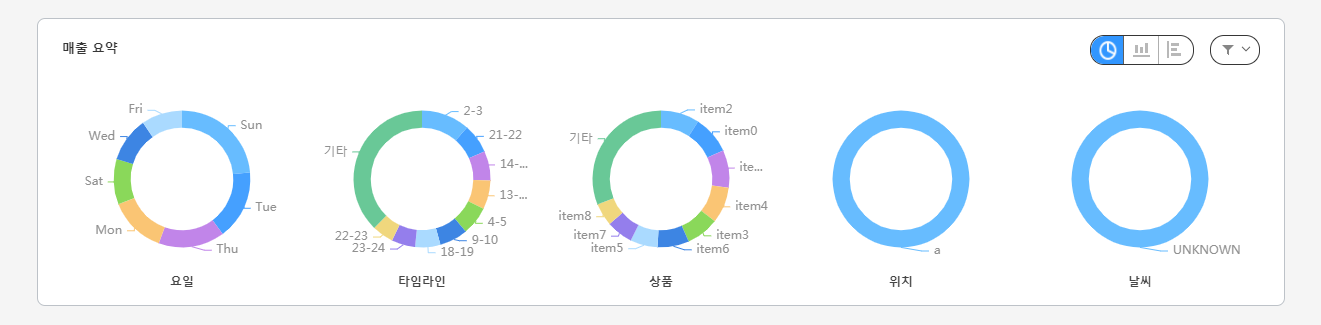
Obtain an intuitive view of overall sales status through sales analysis based on five categories. Change the graph type or only display a specific category by selecting the corresponding icon from the top right.
|