Versions Compared

Key

  • This line was added.
  • This line was removed.
  • Formatting was changed.
Comment: Content imported from a Scroll Translations translation file.
Sv translation
languageko_KR

여러 지표를 묶어 상위 지표를 만들 수 있는데, 이를 주요 지표(Key Index)라고 합니다. MagicINFO Insight로 데이터를 분석하려면 주요 지표를 설정해야 합니다. 주요 지표 설정 후 데이터 분석 시, 시간이 걸릴 수 있습니다.

주요 지표를 설정하려면 다음의 절차를 따르세요.

  1. Insight 화면 메뉴바에서 설정 > 지표 설정을 클릭하세요. 
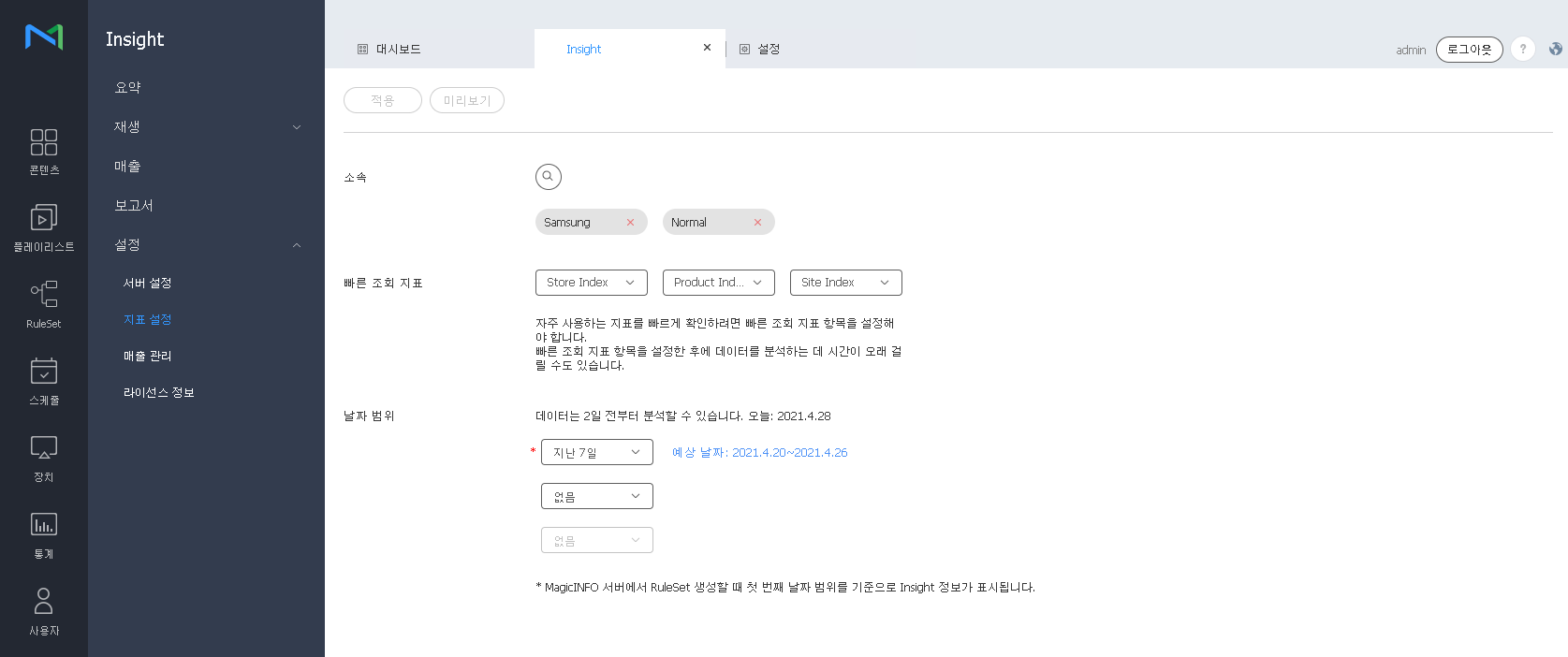
  2. 분석할 주요 지표를 선택하세요. 최대 3개의 주요 지표를 선택하여 빠르게 검색할 수 있습니다. 또한,날짜범위 에서 데이터를 분석할 기간의 범위를 설정할 수 있으며 최대 2일 이전까지의 데이터가 분석됩니다.

    Stylesheet
    classscreen

    Image Modified

  3. 선택한 주요 지표로 분석된 데이터를 미리 보려면 미리보기 버튼을 클릭하세요.
  4. 설정을 완료하려면 적용 버튼을 클릭하세요. 팝업창이 나타납니다.
  5. 적용 버튼을 클릭하세요.
Info
title참고
  • 주요 지표를 적용하여 새롭게 분석을 진행하면 최대 지난달까지의 데이터가 업데이트 됩니다.
  • 주요 지표를 적용한 후에야 데이터가 업데이트 됩니다. 수집된 데이터 양에 따라 데이터를 분석하는 데 시간이 걸릴 수 있습니다.
  • MagicINFO 서버에서 RuleSet 생성시 첫 번째 항목을 기준으로 Insight 정보가 표시됩니다.
Sv translation
languageen

It is possible to group several indexes to create an upper-level index, which is called a “key index.” To analyze data using MagicINFO Insight , you should set a key index. The process of data analysis after setting of a key index may take a while.

To set a key index, follow the steps below.

  1. From the menu bar on the Insight screen, click Settings > Index Settings
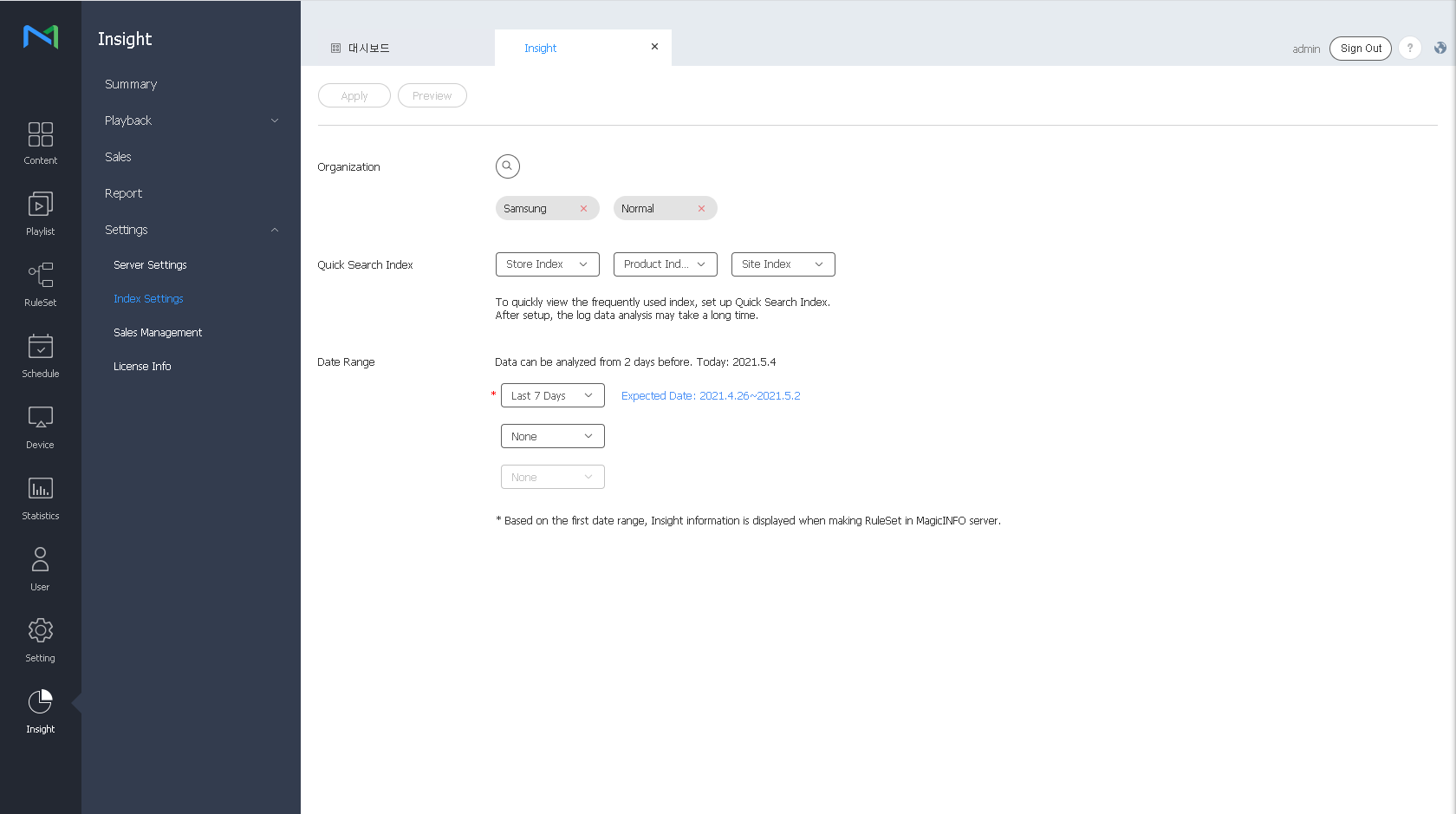
  2. Select the key indexes to analyze. You can select a maximum of three key indexes for quick search. You can also set the period to analyze data by using the Date Range option. Data collected until two days ago is analyzed.

    Stylesheet
    classscreen

    Image Added

  3. To preview the results of analysis of the selected key indexes, click the Preview button.
  4. To apply settings that have been configured, click the Apply  button. A confirmation window appears.
  5. Click the Apply  button.
Info
titleNote
  • If you perform new analysis by applying a key index, the data that has been collected since the previous month is updated.
  • Data is not updated until key indexes are applied. The process of data analysis may take a while, depending on the amount of collected data.
  • When a RuleSet is created from the MagicINFO Server, Insight information is displayed based on the first item.