Versions Compared

Key

  • This line was added.
  • This line was removed.
  • Formatting was changed.

...

Sv translation
languagear

إضافة تعيين مسبق


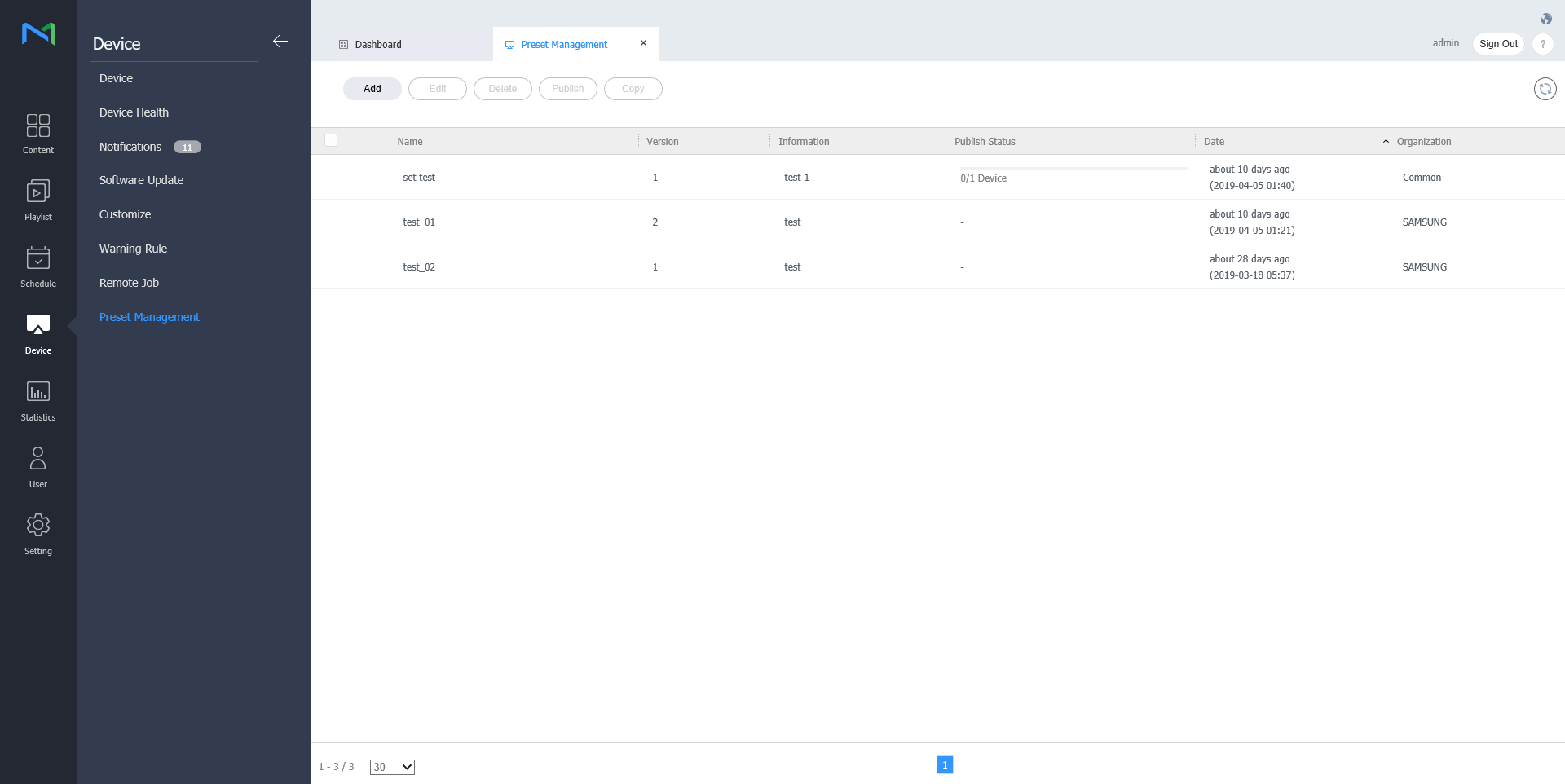
  1. انقر فوق إضافة من قائمة الجهاز.

    Stylesheet
    classscreen
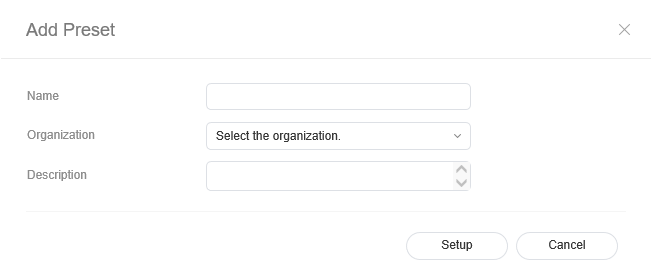
  2. أدخل الاسم والتنظيم والوصف عندما تظهر نافذة إضافة ضبط التعيين المسبق وانقر فوق ضبط.

    Stylesheet
    classscreen

Deleting preset

  1. Select a preset to delete from the preset list and click Delete.

  2. Click OK to delete the selected preset.

Publishing preset

  1. Select a preset from the preset list and click Publish.
  2. Select a device to which you want to publish the preset setting and click Save.

Copying preset

  • Select a preset from the preset list and click Copy
  • Enter name, organization and description when the save as window appears and click Save

    حذف التعيين المسبق


    1. حدد تعيينًا مسبقًا مطلوب حذفه من قائمة التعيين المسبق وانقر فوق حذف.

    2. انقر فوق موافق لحذف التعيين المسبق المحدد.

    نشر التعيين المسبق


    1. حدد تعيينًا مسبقًا من قائمة التعيين المسبق وانقر فوق نشر.
    2. حدد جهازًا تريد نشر ضبط التعيين المسبق إليه وانقر فوق حفظ.

    نسخ التعيين المسبق


    1. حدد تعيينًا مسبقًا من قائمة التعيين المسبق وانقر فوق نسخ.
    2. أدخل الاسم والتنظيم والوصف عندما تظهر نافذة حفظ باسم وانقر فوق حفظ.