Page History
...
| Sv translation | |||||||
|---|---|---|---|---|---|---|---|
| |||||||
使用下列其中一個選項來編輯預設資訊。
編輯預設時間
| |||||||
| On Timer | Set the time to turn on the device. To use the timer, select Use.
| ||||||
| Off Timer | Set the time to automatically turn off the device. To use the timer, select Use.
| ||||||
| Holiday management | Holiday: Set holidays to prevent the device from operating on specified days. |

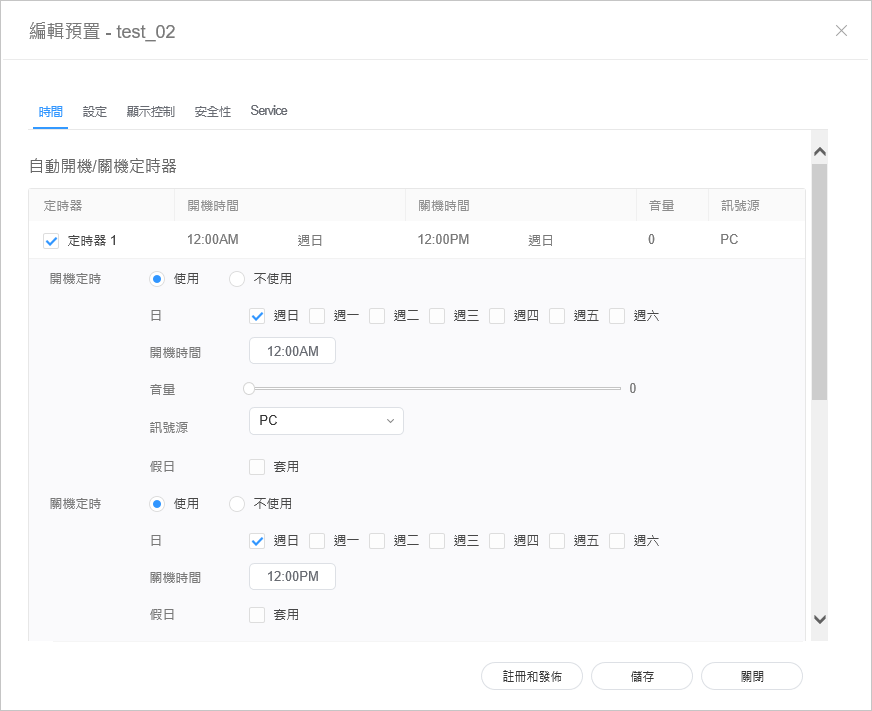
| 開機定時 | 設定要開啟裝置的時間。若要使用定時器,選擇 使用。
|
| 關機定時 | 設定關閉裝置的時間。若要使用定時器,選擇 使用。
|
| 假日管理 | 假日:指定假日以避免裝置在指定日子運作。 |
編輯預設設定
- 選擇預設編輯器視窗中的 設定 索引標籤。
編輯資訊,然後按一下 儲存。按一下 註冊與發佈,立即將設定值套用至群組。
Stylesheet class screen 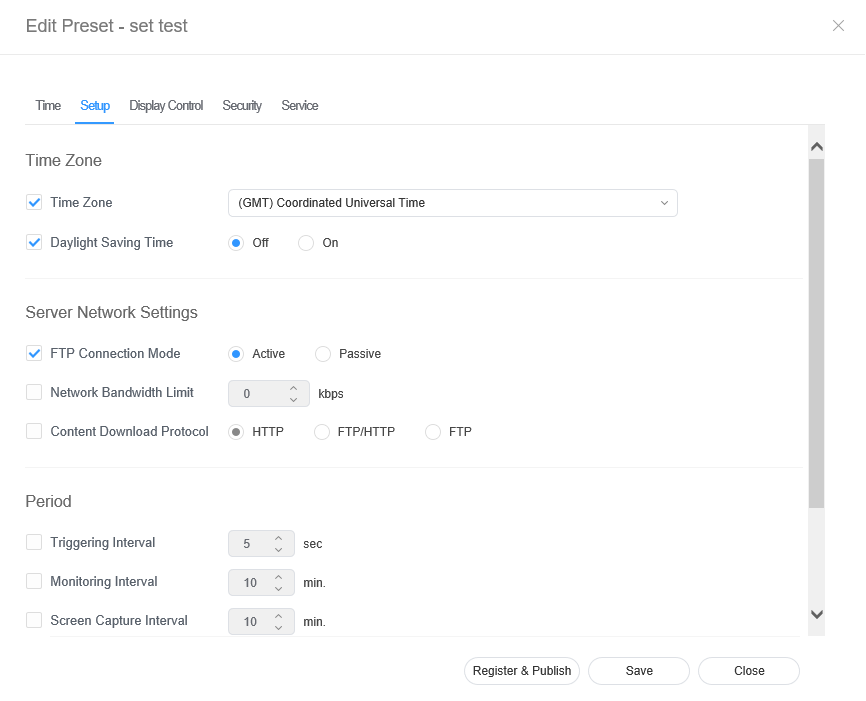
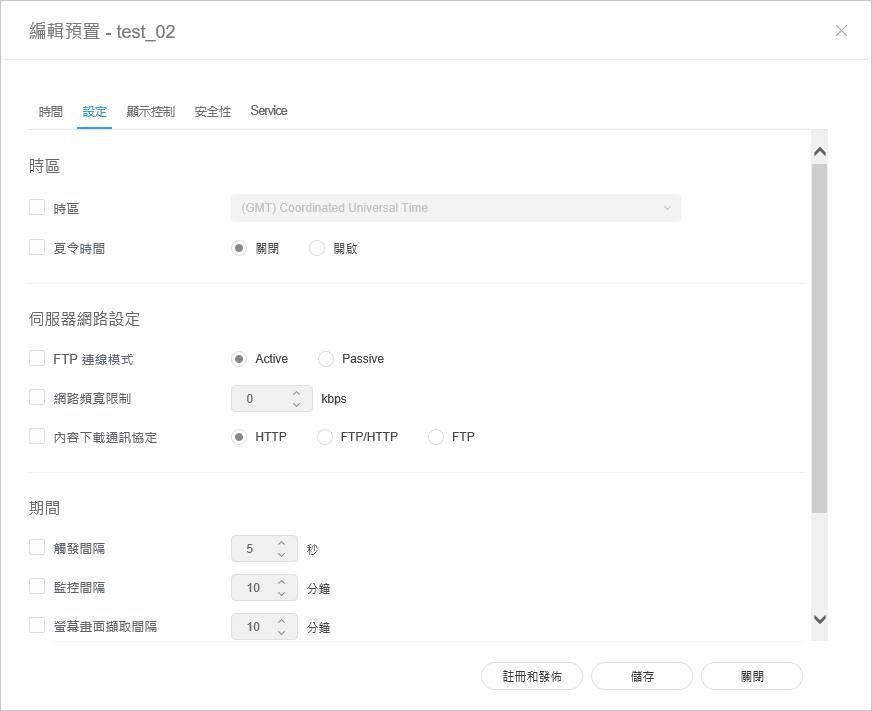
| Time Zone | 時區 |
| |||||
| Server Network Settings |
| ||||||
| Period |
|
Editing preset display control
| |||
| 伺服器網路設定 |
| ||
| 期間 |
|
編輯預設顯示控制
- 選擇預設編輯器視窗中的 顯示控制 索引標籤。
編輯資訊,然後按一下 儲存。按一下 註冊與發佈,立即將設定值套用至群組。
Stylesheet class screen 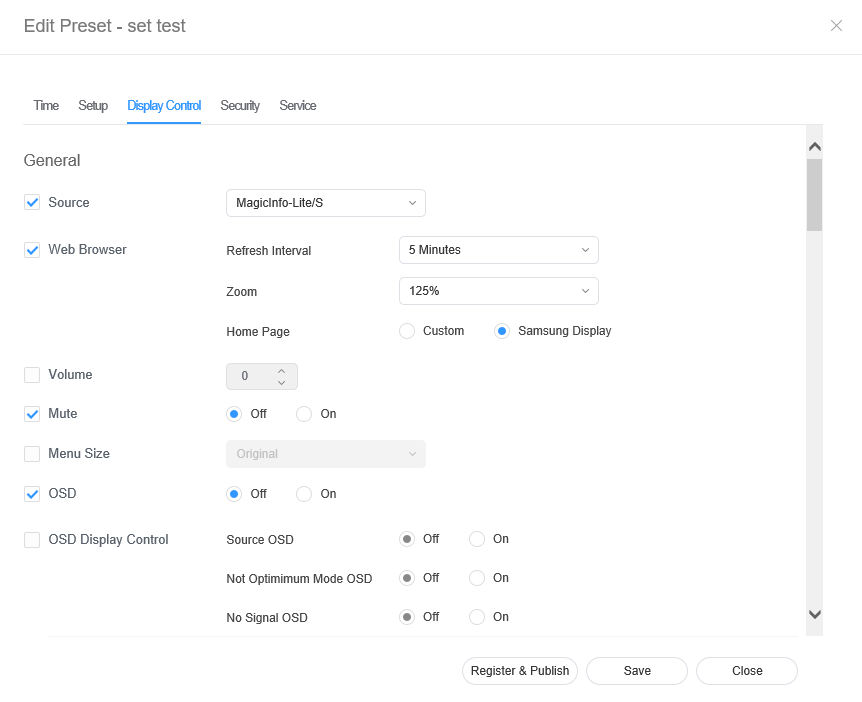
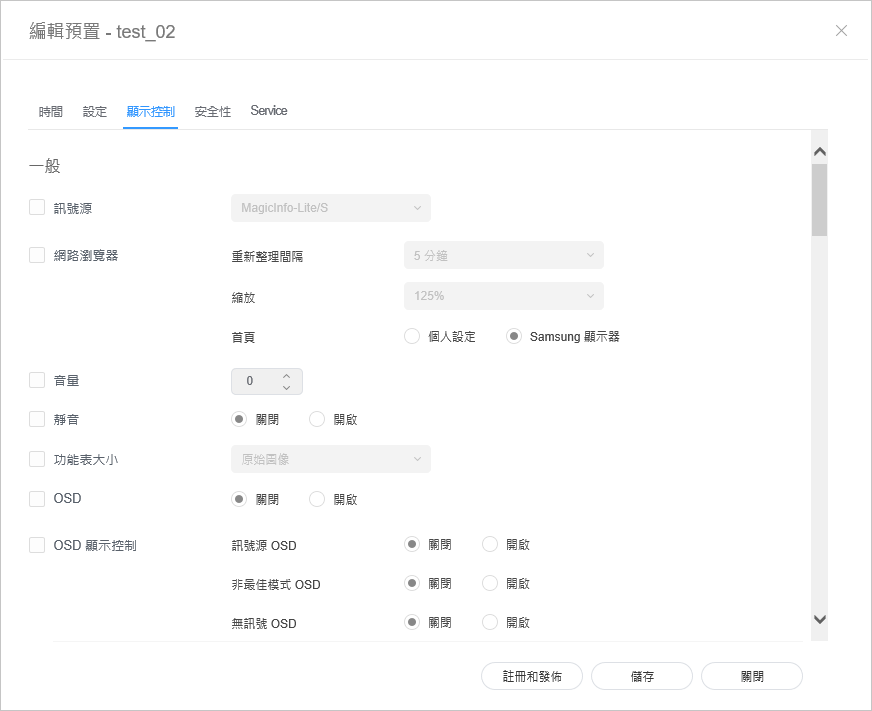
Editing preset security
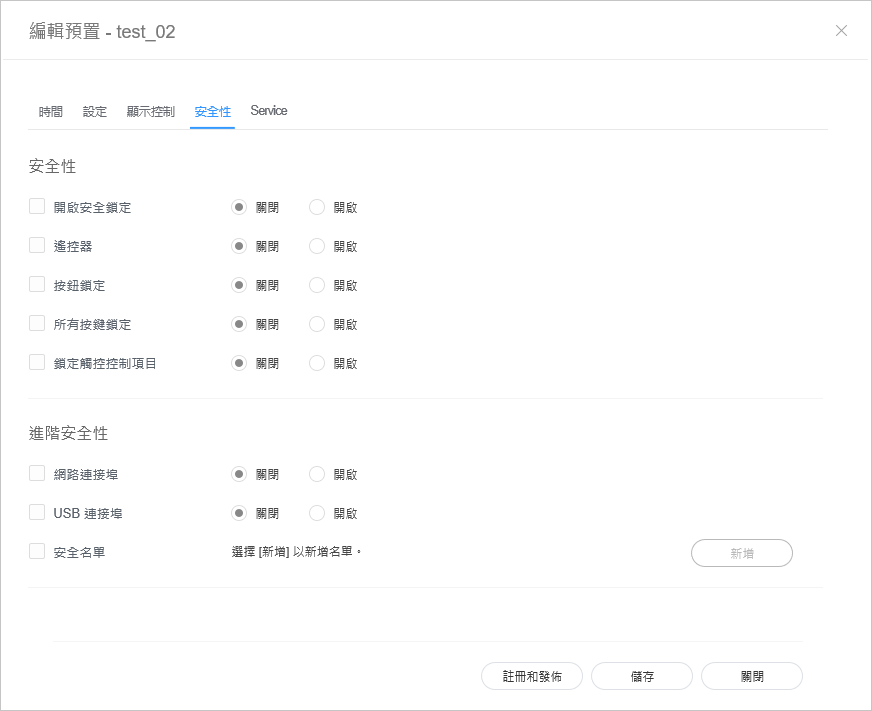
編輯預設安全性
- 從編輯預設視窗中選擇的 安全性 索引標籤。
編輯資訊,然後按一下 儲存。按一下 註冊與發佈,立即將設定值套用至群組。
Stylesheet class screen