Versions Compared

Key

  • This line was added.
  • This line was removed.
  • Formatting was changed.
Sv translation
languageko_KR

프리셋 추가하기


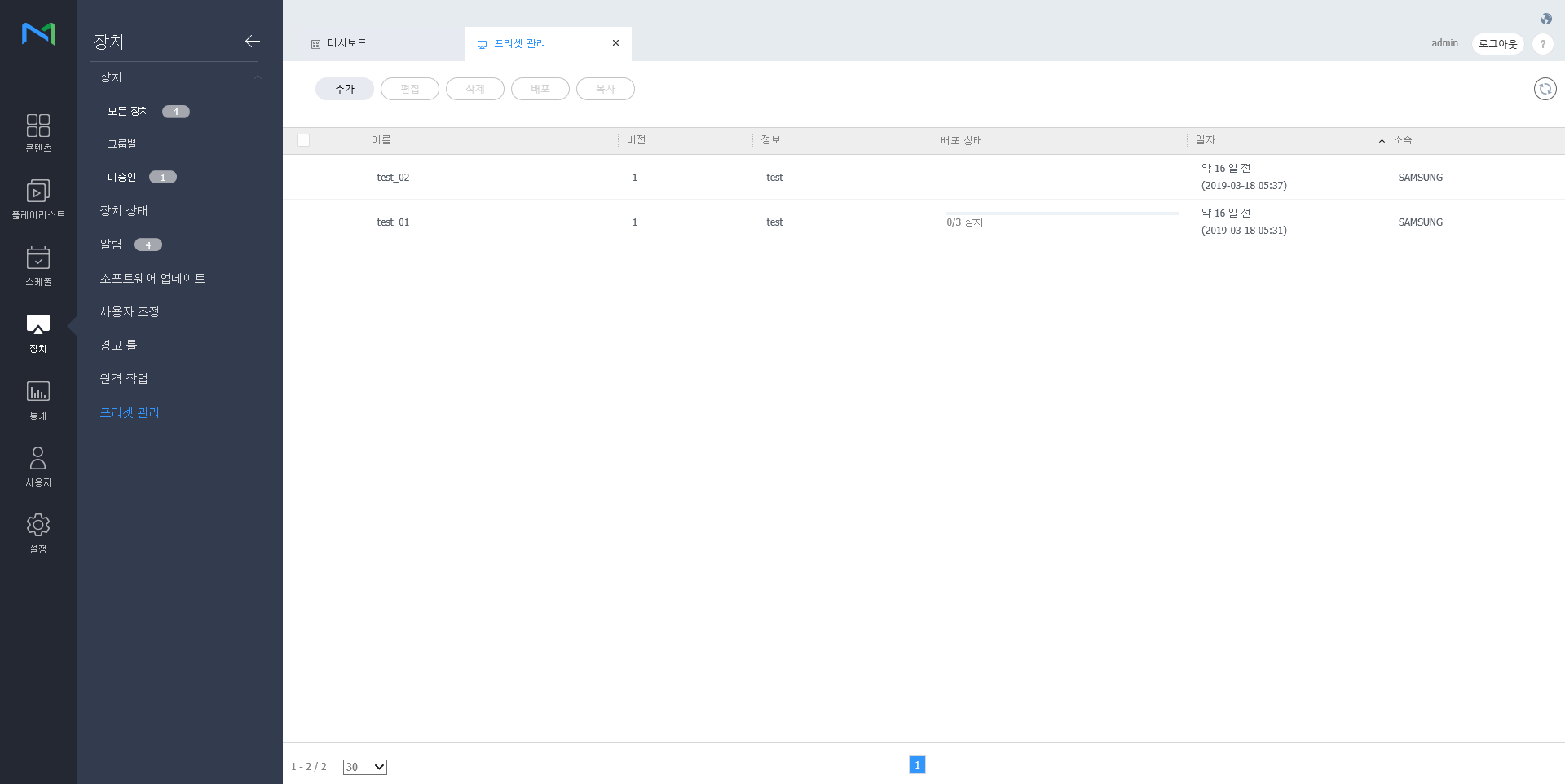
  1. 장치 목록에서 추가를 클릭하세요.

    Stylesheet
    classscreen

    Image Modified

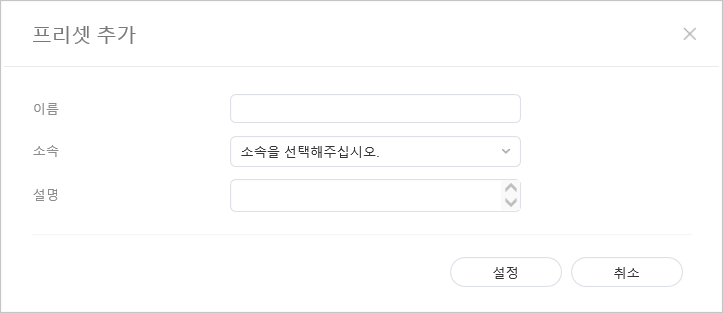
  2. 프리셋 추가 설정 창이 나타나면 이름, 소속 및 설명을 입력한 후 설정을 클릭하세요.

    Stylesheet
    classscreen

    Image Modified

프리셋 삭제하기


  1. 프리셋 목록에서 삭제할 프리셋을 체크한 후 삭제를 클릭하세요.

  2. 확인을 클릭하면 체크한 프리셋이 삭제됩니다.

프리셋 배포하기


  1. 프리셋  목록에서 원하는 프리셋을 선택한 후 배포을 클릭하세요.
  2. 프리셋 설정을 배포할 장치를 선택한 후 저장를 클릭하세요.

프리셋 복사하기


  1. 프리셋  록에서 원하는 프리셋을 선택한 후 복사을 클릭하세요.
  2. 프리셋 다른 이름 저장 창이 나타나면 이름, 소속 및 설명을 입력한 후 저장을 클릭하세요.
Sv translation
languageen

Adding preset


  1. Click on Add from the device list.

    Stylesheet
    classscreen

    Image Added

  2. Enter name, organization and description when the add preset setting window appears and click Setting.

    Stylesheet
    classscreen

    Image Added

Deleting preset


  1. Select a preset to delete from the preset list and click Delete.

  2. Click OK to delete the selected preset.

Publishing preset


  1. Select a preset from the preset list and click Publish.
  2. Select a device to which you want to publish the preset setting and click Save.

Copying preset


  1. Select a preset from the preset list and click Copy
  2. Enter name, organization and description when the save as window appears and click Save.