
Page History
| Sv translation | |||||||||||||||||||||||||||||||||||||||||||||||||||||||||||||||||||||||||||||||||||||||||||||||||||||||||||||||||||||||||||||||||||||||||||||||||||||||||||||||||||||||||||||||||||||||||||||||||
|---|---|---|---|---|---|---|---|---|---|---|---|---|---|---|---|---|---|---|---|---|---|---|---|---|---|---|---|---|---|---|---|---|---|---|---|---|---|---|---|---|---|---|---|---|---|---|---|---|---|---|---|---|---|---|---|---|---|---|---|---|---|---|---|---|---|---|---|---|---|---|---|---|---|---|---|---|---|---|---|---|---|---|---|---|---|---|---|---|---|---|---|---|---|---|---|---|---|---|---|---|---|---|---|---|---|---|---|---|---|---|---|---|---|---|---|---|---|---|---|---|---|---|---|---|---|---|---|---|---|---|---|---|---|---|---|---|---|---|---|---|---|---|---|---|---|---|---|---|---|---|---|---|---|---|---|---|---|---|---|---|---|---|---|---|---|---|---|---|---|---|---|---|---|---|---|---|---|---|---|---|---|---|---|---|---|---|---|---|---|---|---|---|---|
| |||||||||||||||||||||||||||||||||||||||||||||||||||||||||||||||||||||||||||||||||||||||||||||||||||||||||||||||||||||||||||||||||||||||||||||||||||||||||||||||||||||||||||||||||||||||||||||||||
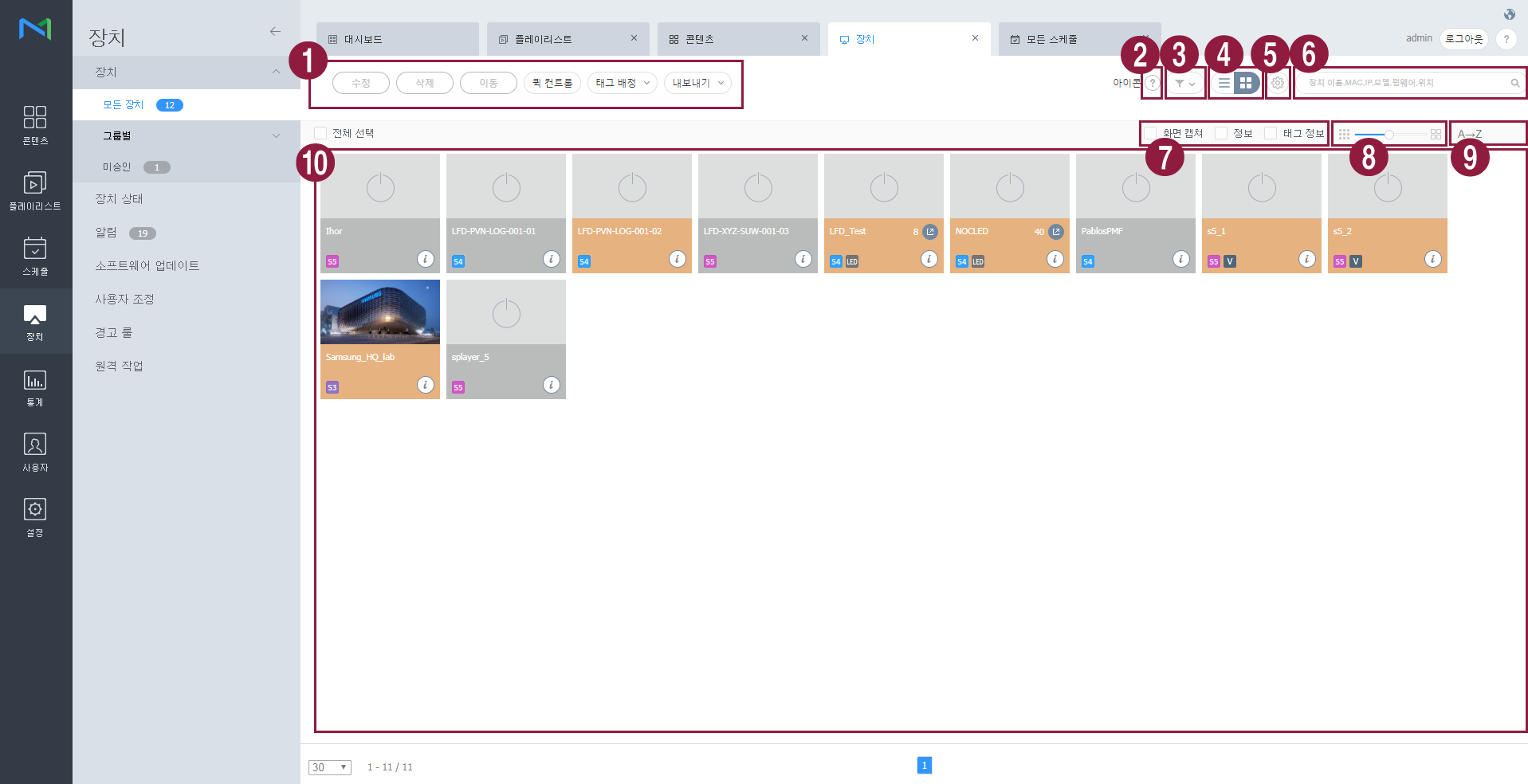
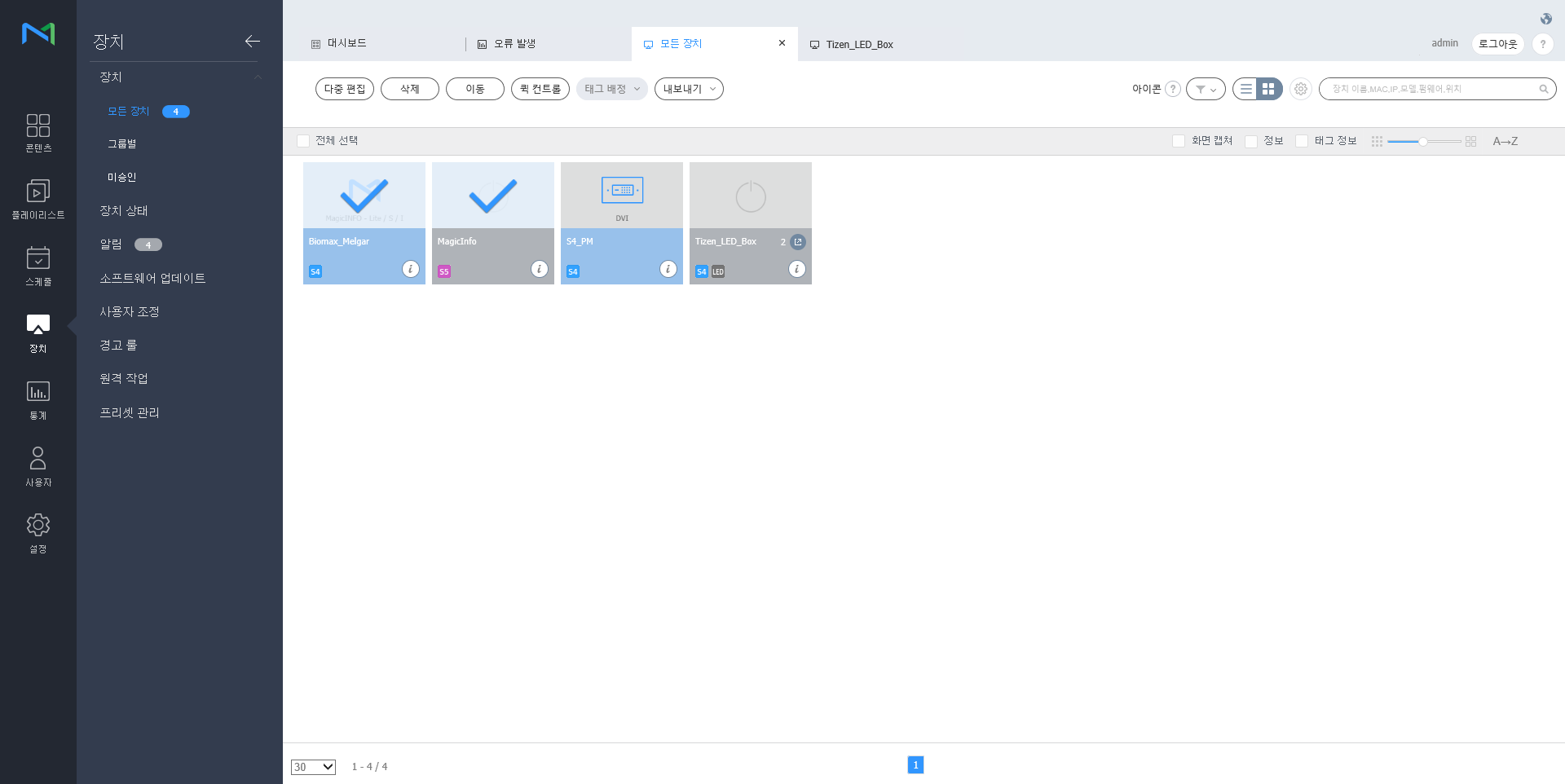
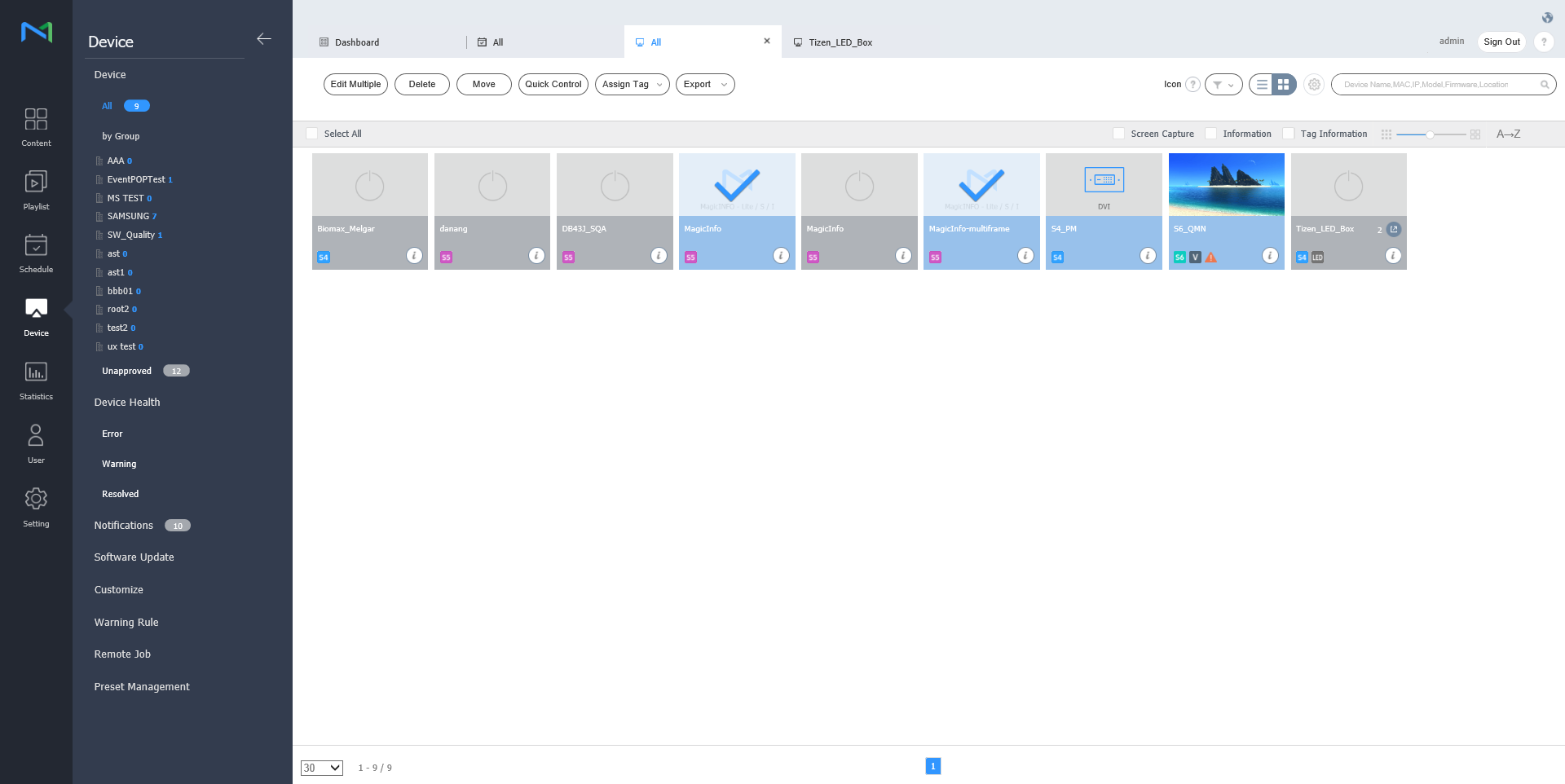
MagicInfo Server와 연결된 장치를 볼 수 있고, 각 장치별 상세 정보 조회 및 원격 제어를 할 수 있습니다. 또한, 각 소속에 그룹을 생성하여 그룹별로 장치를 관리할 수 있습니다. 각 소속에는 기본적으로 default 그룹이 생성되어 있습니다. 하위 메뉴에서 장치를 클릭하세요.
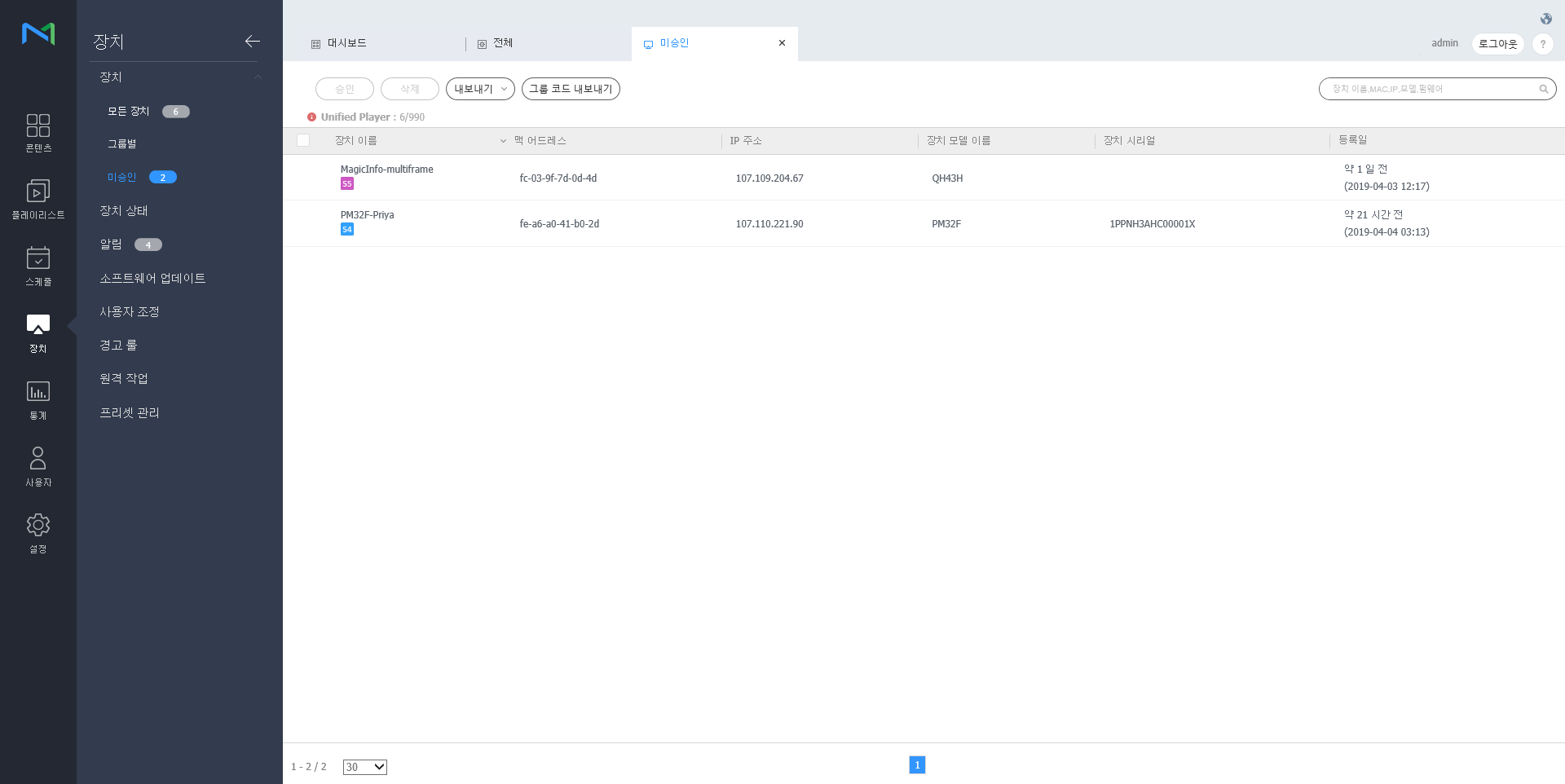
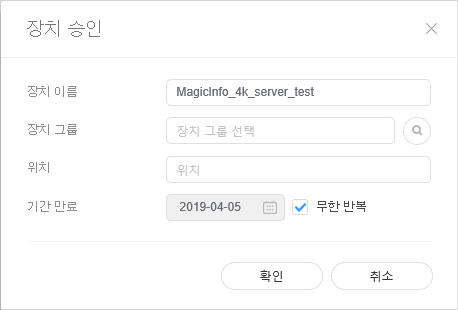
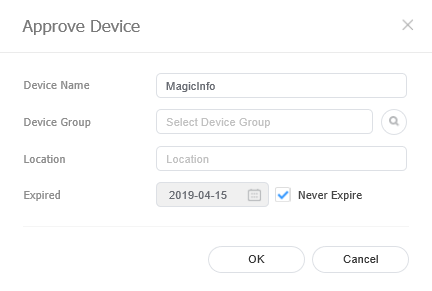
미승인 장치 승인하기MagicInfo Server와 연결은 되었으나, 승인되지 않은 장치를 확인하고 승인할 수 있습니다.
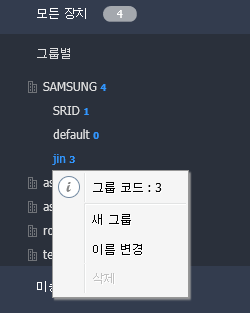
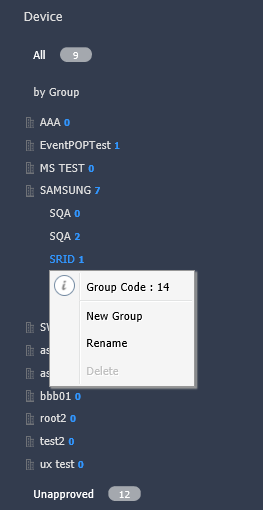
장치 그룹 관리하기
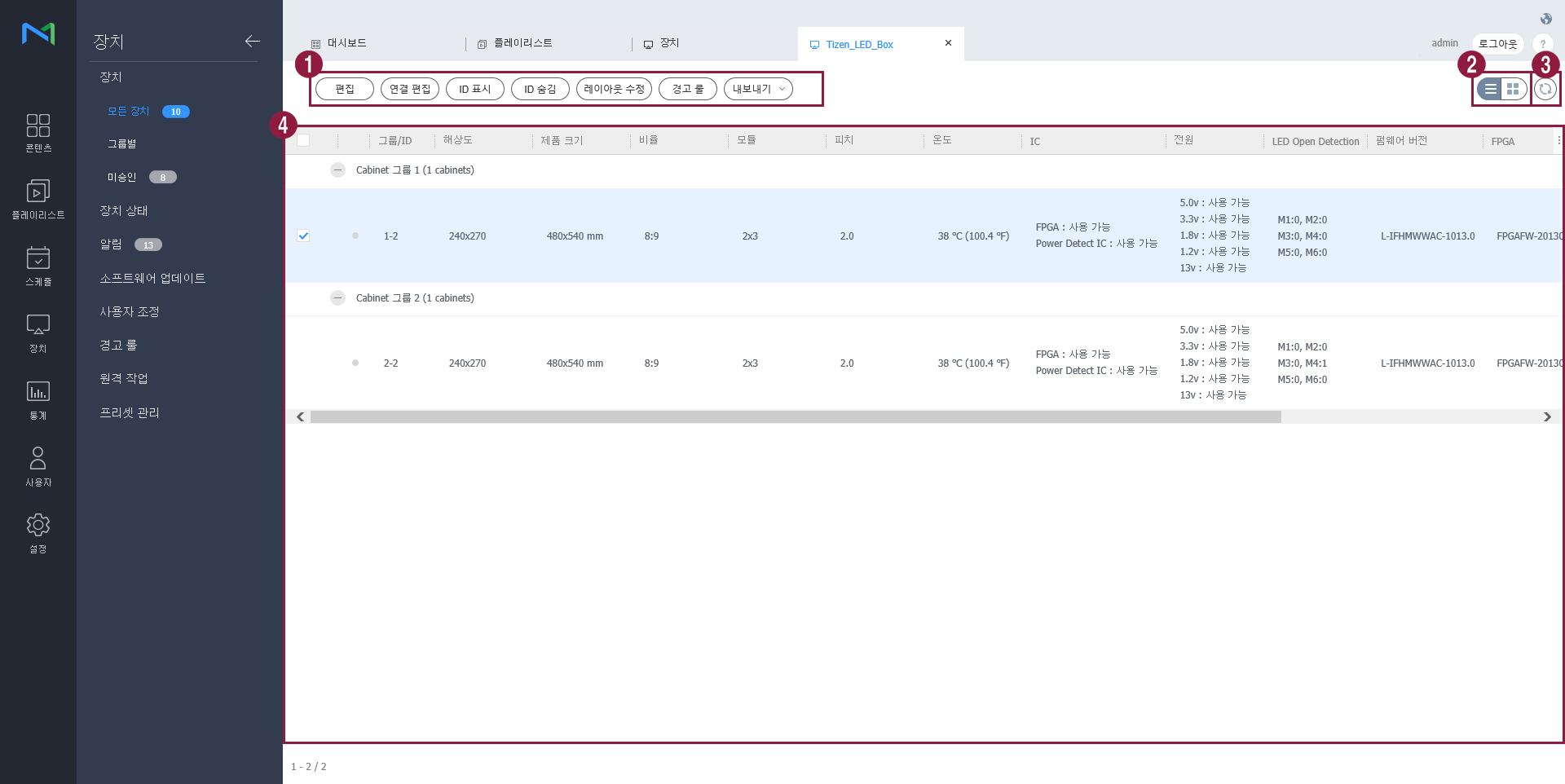
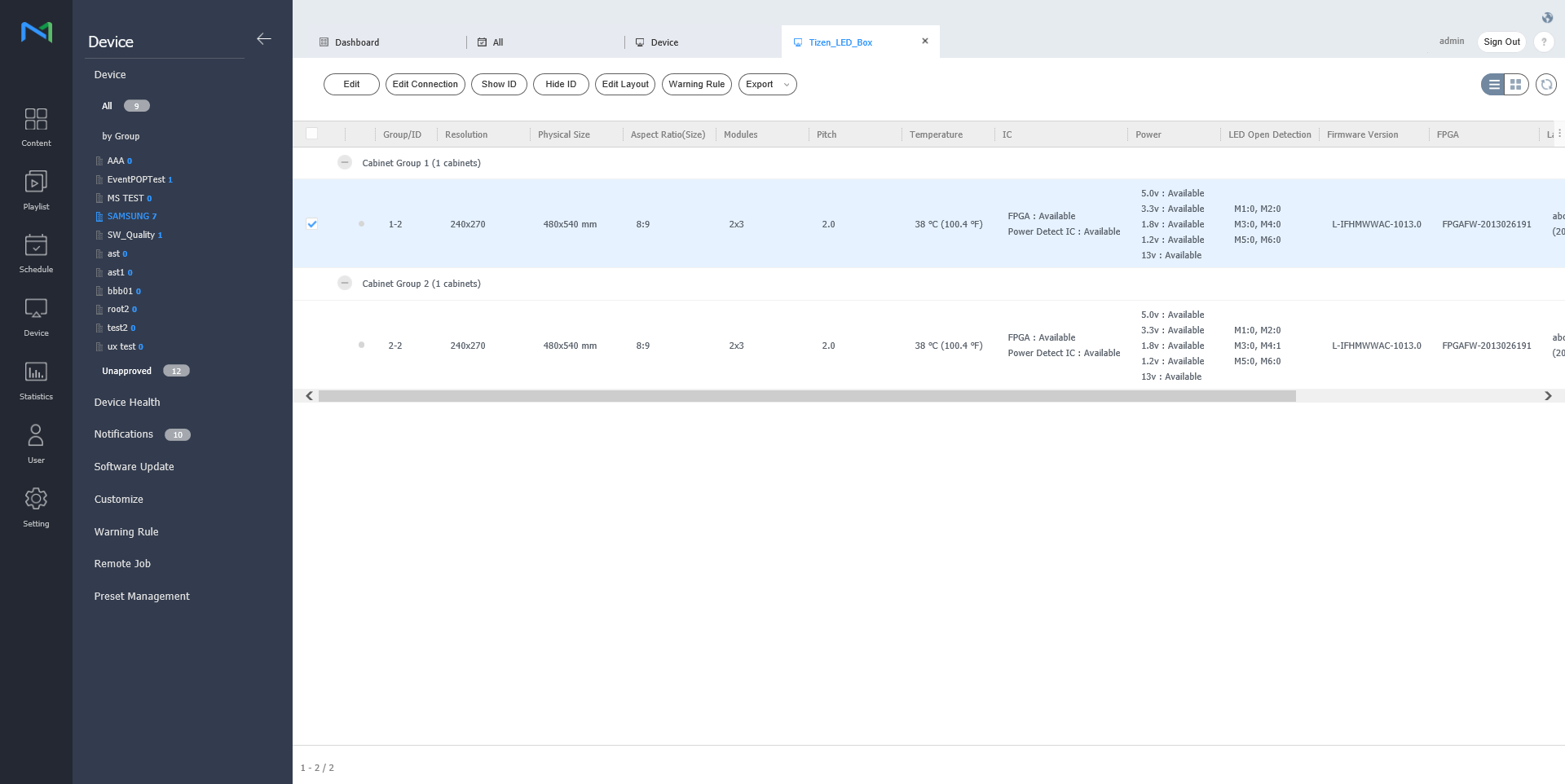
MagicInfo Server와 연결된 LED 장치의 정보를 확인하거나 LED에 연결된 Cabinet을 관리할 수 있습니다. 장치 목록에서
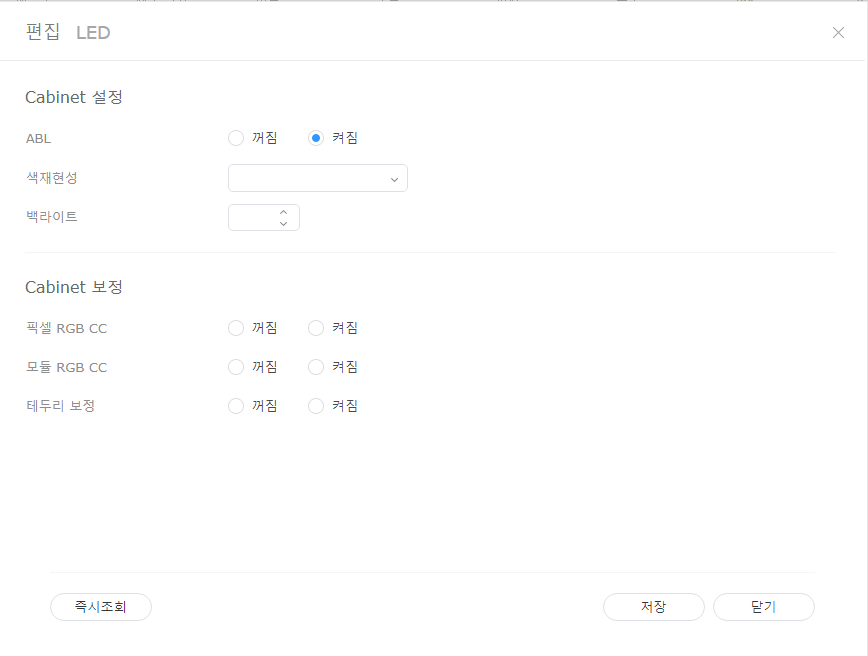
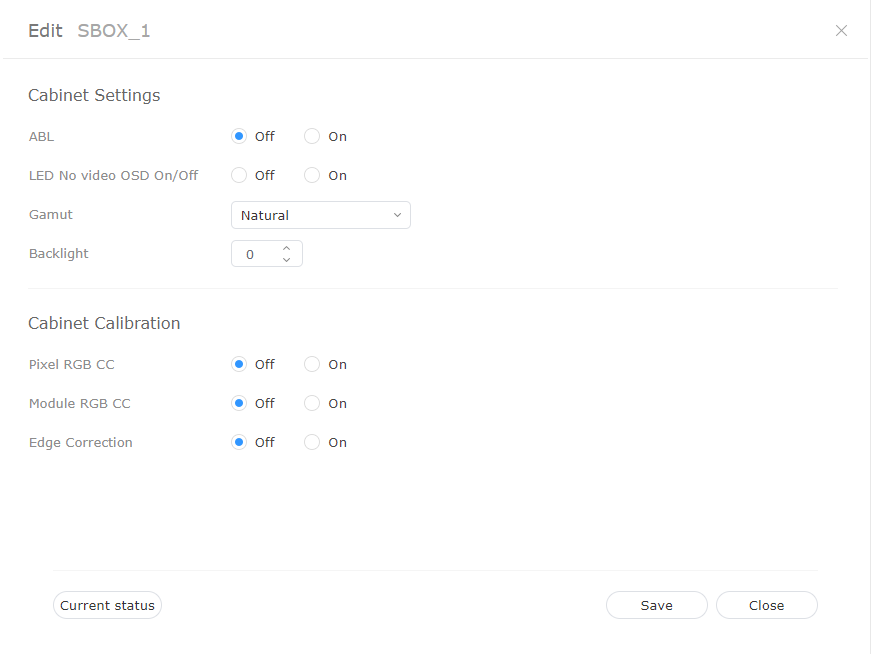
LED 정보 수정하기
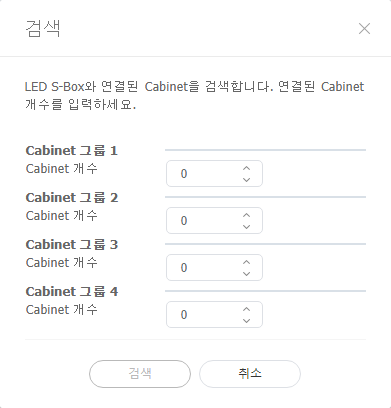
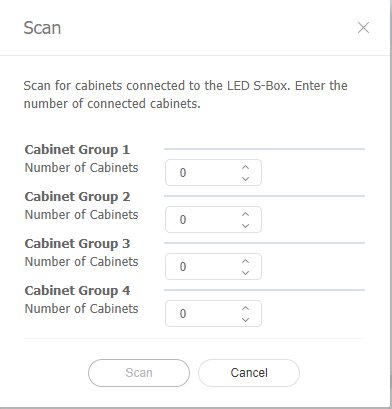
Cabinet 검색하기LED 장치에 연결된 Cabinet을 검색할 수 있습니다.
Cabinet 레이아웃 설정하기LED 장치에 연결된 Cabinet의 레이아웃을 설정할 수 있습니다.
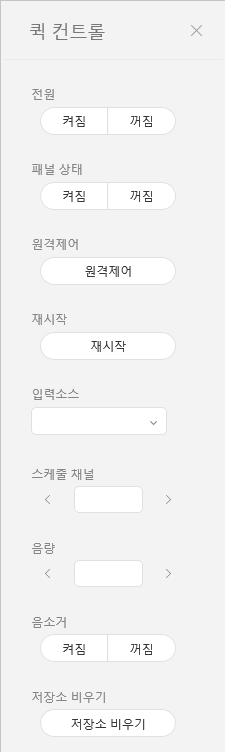
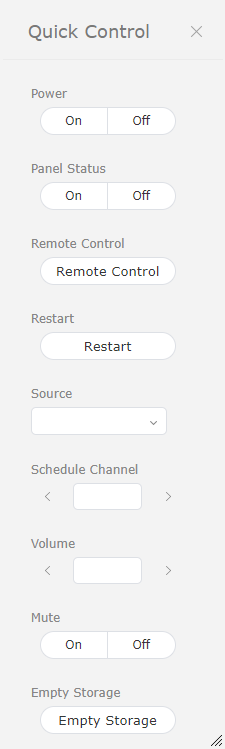
퀵컨트롤 기능은 장치의 원격 제어 기능 중 많이 쓰이는 기능을 따로 모아 놓은 것입니다. 퀵컨트롤 대시보드를 사용하려면 목록에서 원하는 장치에 체크한 후 퀵컨트롤을 클릭하세요.
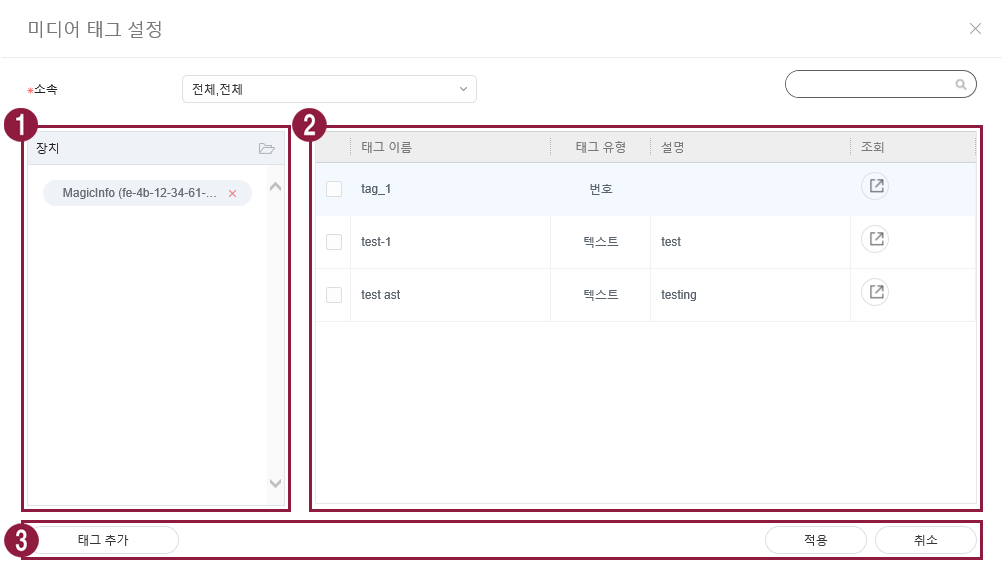
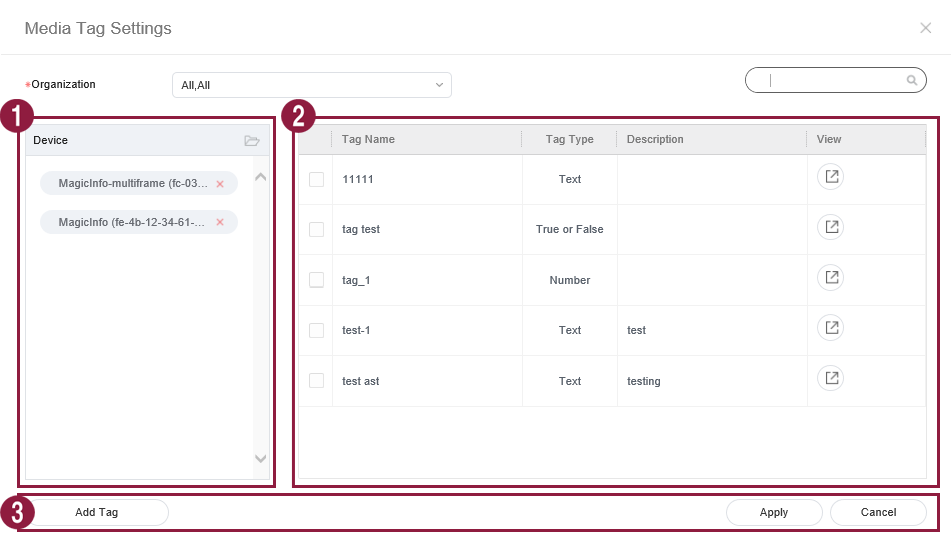
장치에 태그를 설정하여 DLK 요소, 플레이리스트 콘텐츠에 설정한 태그와 부합하는 조건의 정보를 선별적으로 재생할 수 있습니다.
LED 장치에 연결된 Cabinet의 레이아웃을 설정할 수 있습니다. 해당 Cabinet 레이아웃이 서버에 저장됩니다. |




| Sv translation | |||||||||||||||||||||||||||||||||||||||||||||||||||||||||||||||||||||||||||||||||||||||||||||||||||||||||||||||||||||||||||||||||||||||||||||||||||||||||||||||||||||||||||||
|---|---|---|---|---|---|---|---|---|---|---|---|---|---|---|---|---|---|---|---|---|---|---|---|---|---|---|---|---|---|---|---|---|---|---|---|---|---|---|---|---|---|---|---|---|---|---|---|---|---|---|---|---|---|---|---|---|---|---|---|---|---|---|---|---|---|---|---|---|---|---|---|---|---|---|---|---|---|---|---|---|---|---|---|---|---|---|---|---|---|---|---|---|---|---|---|---|---|---|---|---|---|---|---|---|---|---|---|---|---|---|---|---|---|---|---|---|---|---|---|---|---|---|---|---|---|---|---|---|---|---|---|---|---|---|---|---|---|---|---|---|---|---|---|---|---|---|---|---|---|---|---|---|---|---|---|---|---|---|---|---|---|---|---|---|---|---|---|---|---|---|---|---|---|
| |||||||||||||||||||||||||||||||||||||||||||||||||||||||||||||||||||||||||||||||||||||||||||||||||||||||||||||||||||||||||||||||||||||||||||||||||||||||||||||||||||||||||||||
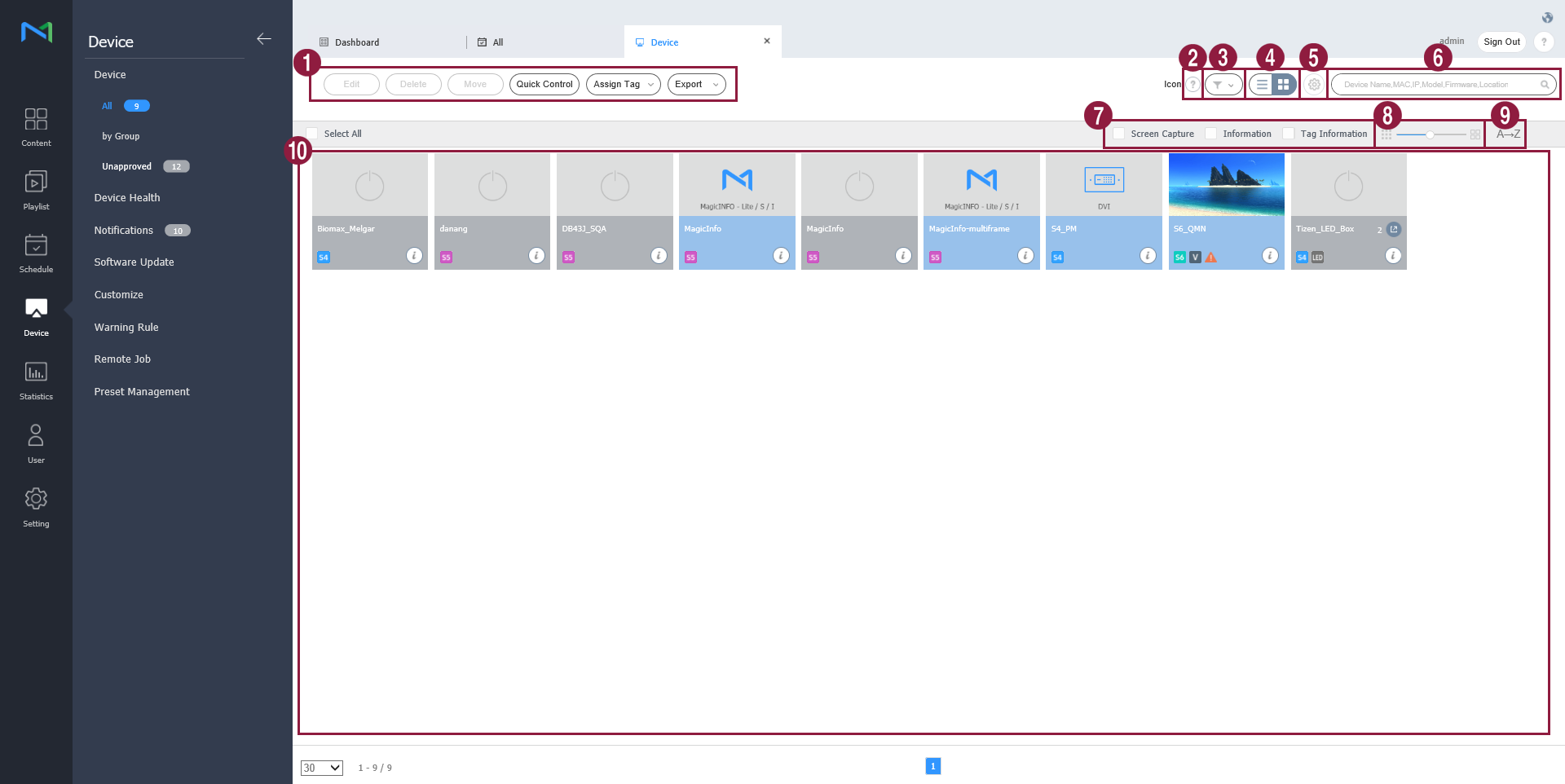
View devices connected to MagicInfo Server, retrieve details for each device, and remotely control devices. Create groups for each organization to manage devices by the group. For each organization, a default group is created by default. Click Device from the sub-menu items.
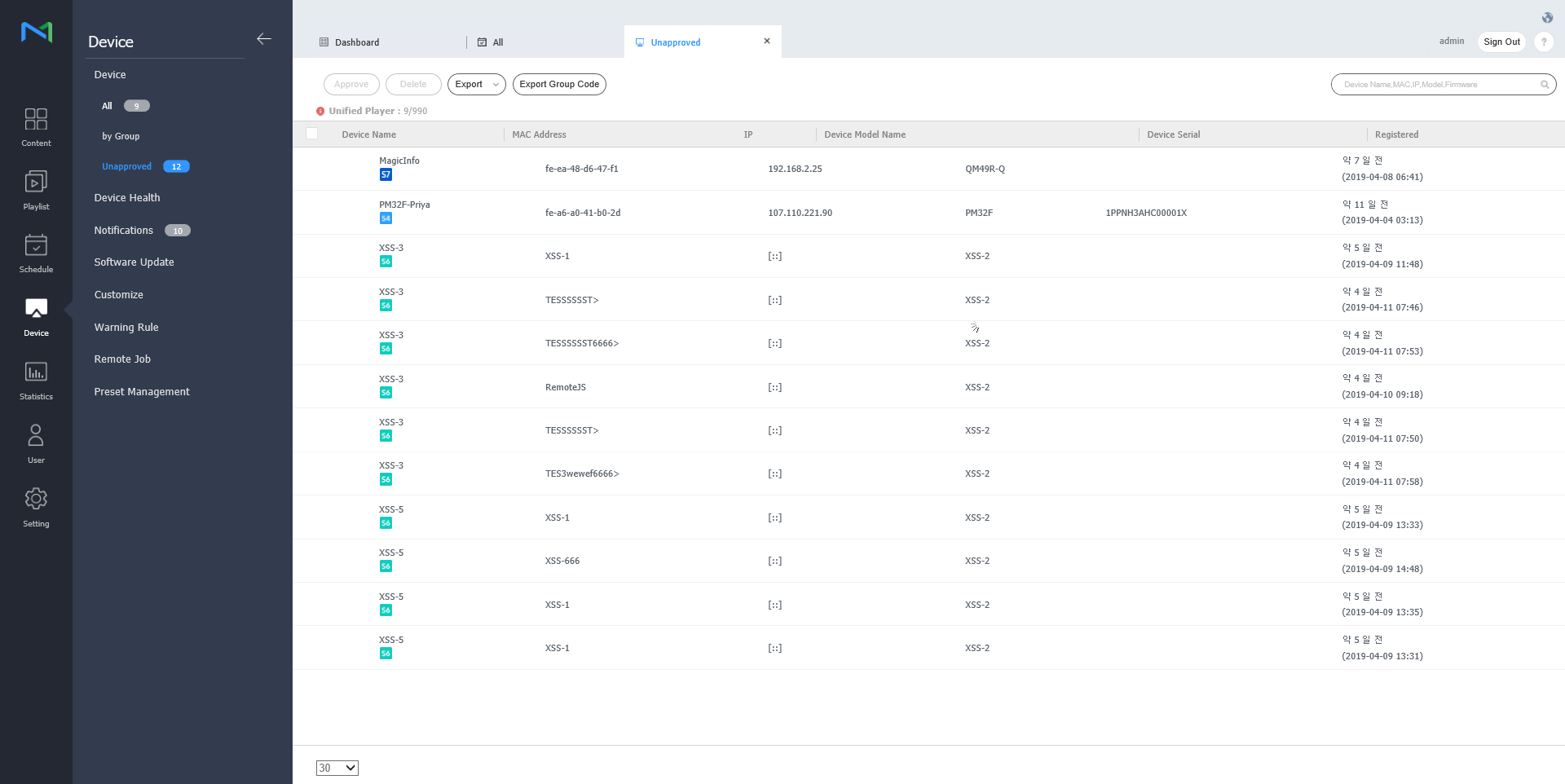
Authorizing devicesView and authorize devices that are connected to MagicInfo Server but not authorized.
Managing device groups
You can check for the information of LED device that is connected to MagicInfo Server or manage the cabinet that is connected to LED. Click on
Modify LED information
Search cabinetYou can search for the cabinet that is connected to LED device.
Quick Control is the collection of frequently used remote device control functions. To use Quick Control dashboard, select a device from the list and click Quick Control.
Assign a tag to a device. This allows the device to selectively display information that satisfies conditions of the tag assigned to a DLK element or playlist.
|
...