- Press
 > Schedule using remote controller.
Schedule screen is executed. Execute desired functions.
|
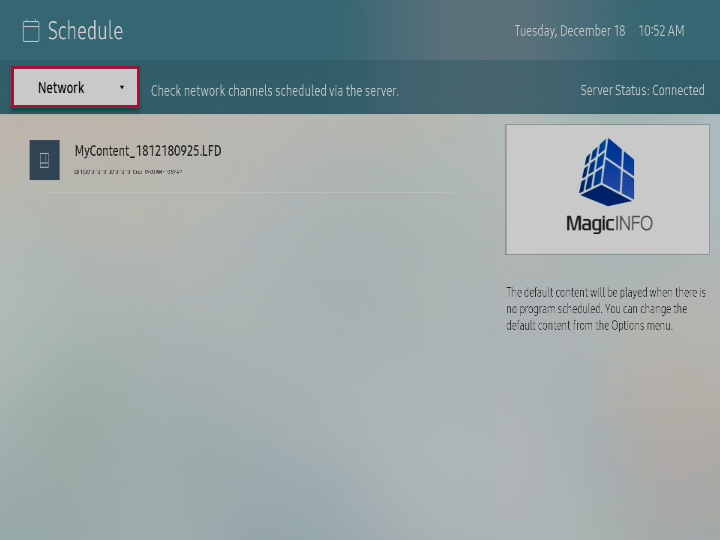
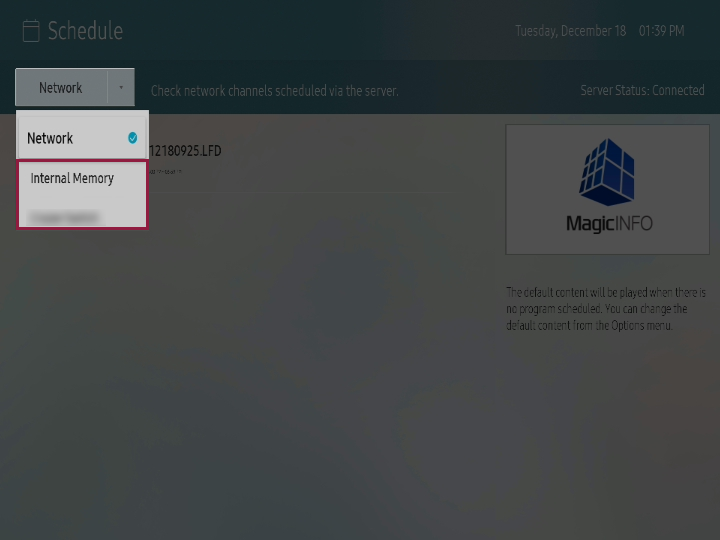
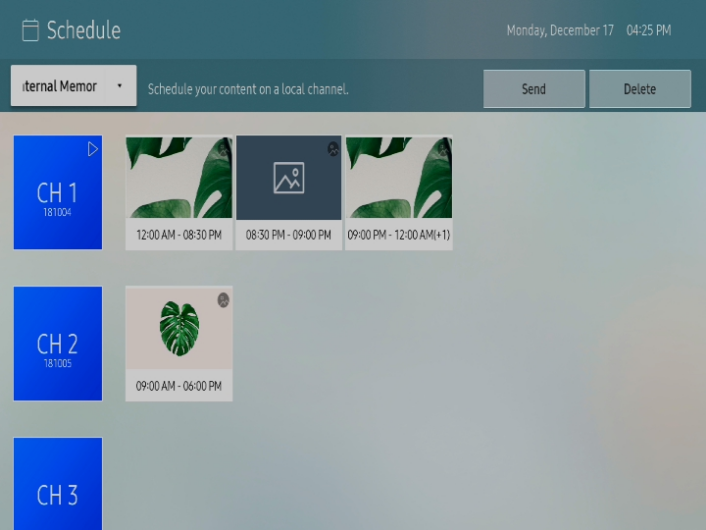
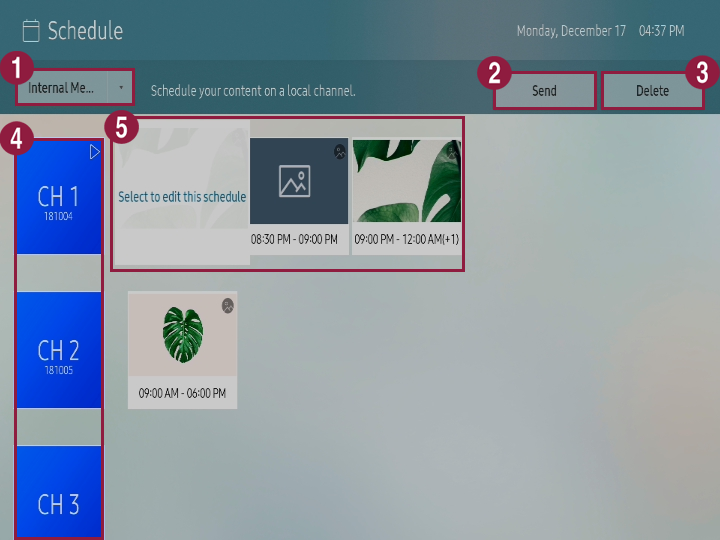
| 1 | You can select storage location for the schedule that will be played using S player.- Network: You can check the schedule that is distributed from the server.
- Internal memory/External memory: You can register contents schedule on local channel.
External memory is only displayed when external memory is connected to S player. Name of the external memory is displayed differently depending on the external memory type that is connected. |
| 2 | You can send the channel that is saved in internal memory to external memory or bring the channel that is saved in external memory to internal memory. Refer to following for details. ► Copying local schedule You can only send the channel where schedule is registered. |
|
| 3 | You can delete the channel. You can only delete the channel where schedule is registered. |
|
| 4 | You can check for the channel list and register schedule on each channel.
To register schedule to channel, select desired channel from the channel list. Refer to following for details. ► Register local schedule |
| 5 | You can check for the schedule list that is registered on channel and edit the schedule.
To edit the schedule, select desired schedule and press it once again. |
Checking network schedule
Select Network from schedule screen.
You can check for the schedule list that is distributed from the server.
If schedule is not displayed, check for the connection status with the server. |
 Register local schedule
You can register contents schedule on local channel.
Select internal memory or external memory that is connected from schedule screen.
Select the channel for registering schedule and press it once again.
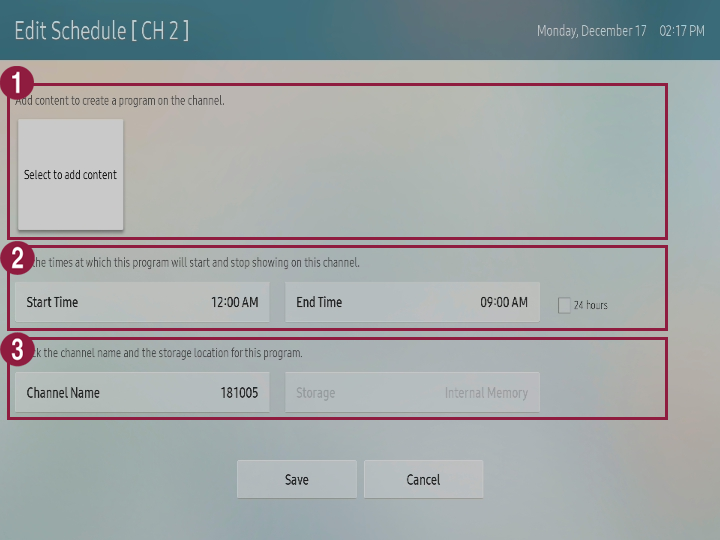
Apply setting to desired items and press Save.
| 1 | You can add or delete the contents to be played.- To add the contents, press Select to add the contents and select desired contents.
- To delete the added contents, select the contents to be deleted and press it once again.
|
| 2 | You can apply setting to start time and end time to contents schedule that will be registered on the channel. |
| 3 | Apply setting to name of contents schedule and check for storage location. |
 Copy local schedule
You can send the channel that is saved in internal memory to external memory or bring the channel that is saved in external memory to internal memory.
- Select internal memory or external memory that is connected from schedule screen.
Select desired channel.
You can only select the channel where schedule is registered. |
- Press Send from upper side to select the device for sending.
Selected channel and schedule that is registered on channel are copied to corresponding device.