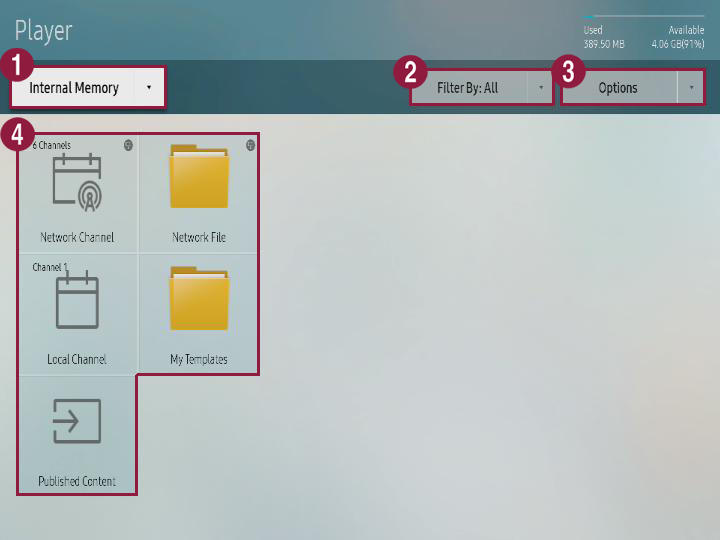
Execute desired functions.
|
| 1 | You can use S player to select the save position for the contents that will be played.
| |
| 2 | Contents can be viewed in each category.
| |
| 3 | You can execute different options such as playing contents and slide shows. Refer to following for details. ► Using contents option menu | |
| 4 |
|
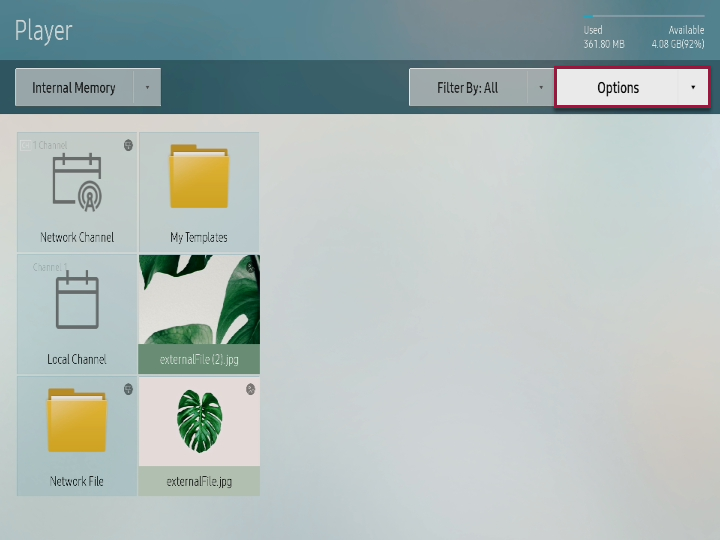
Press option from player screen.
|
You can select the contents that will be played in S player.
Select the contents and press Play from upper side.
Corresponding contents are played.
You can send the contents that are saved in internal memory to external memory or bring the contents that are saved in external memory to internal memory.
Press Option > Send from player screen.
This menu is activated only when external memory is connected to S player. |
Select the device for sending and press Start.
Corresponding contents are copied to target device.
To stop sending contents, press Cancel. |
When window appears, press Delete.
Deleted contents cannot be restored. |
Select contents and press Complete.
Corresponding contents are automatically played when there are no reserved program or contents.