Add devices, to which content files will be distributed, to Premium Server.
Select  (Device) on the main menu bar.
The general administrator is only authorized to approve new devices. |
- To add a device to Premium Server, click Unapproved. A list of devices connected to Premium Server that are waiting for approval will appear.
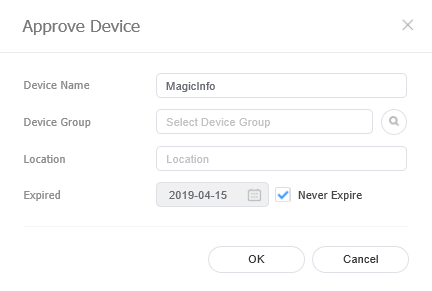
- Select a device and click Approve. A window appears where a device can be authorized.
Specify the name, group, location and expiration date. Click OK. The device has been authorized.
- To delete an unauthorized device without authorizing it, select the device and click Delete.
- To authorize multiple devices of the same model, select devices and click Approve. If you enter representative names of devices, the device names are saved in the "representative name_(sequence number)" format.
|