- VWL Layout Editor will launch.
|
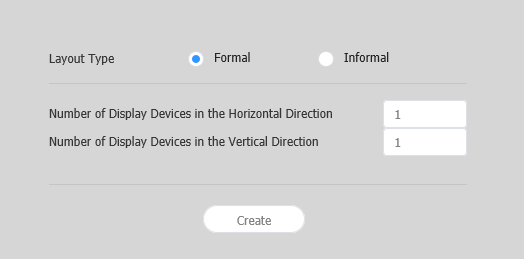
| Layout types |
|
| Number of Displays | The number of horizontal X vertical devices to configure a VideoWall layout. |
Configuring layouts depends on the selected layout type. This user manual is based on the irregular type. |
Select devices from the list and drag them into the editor section.
This step will not be available if you chose the the regular type for your layout. |
|
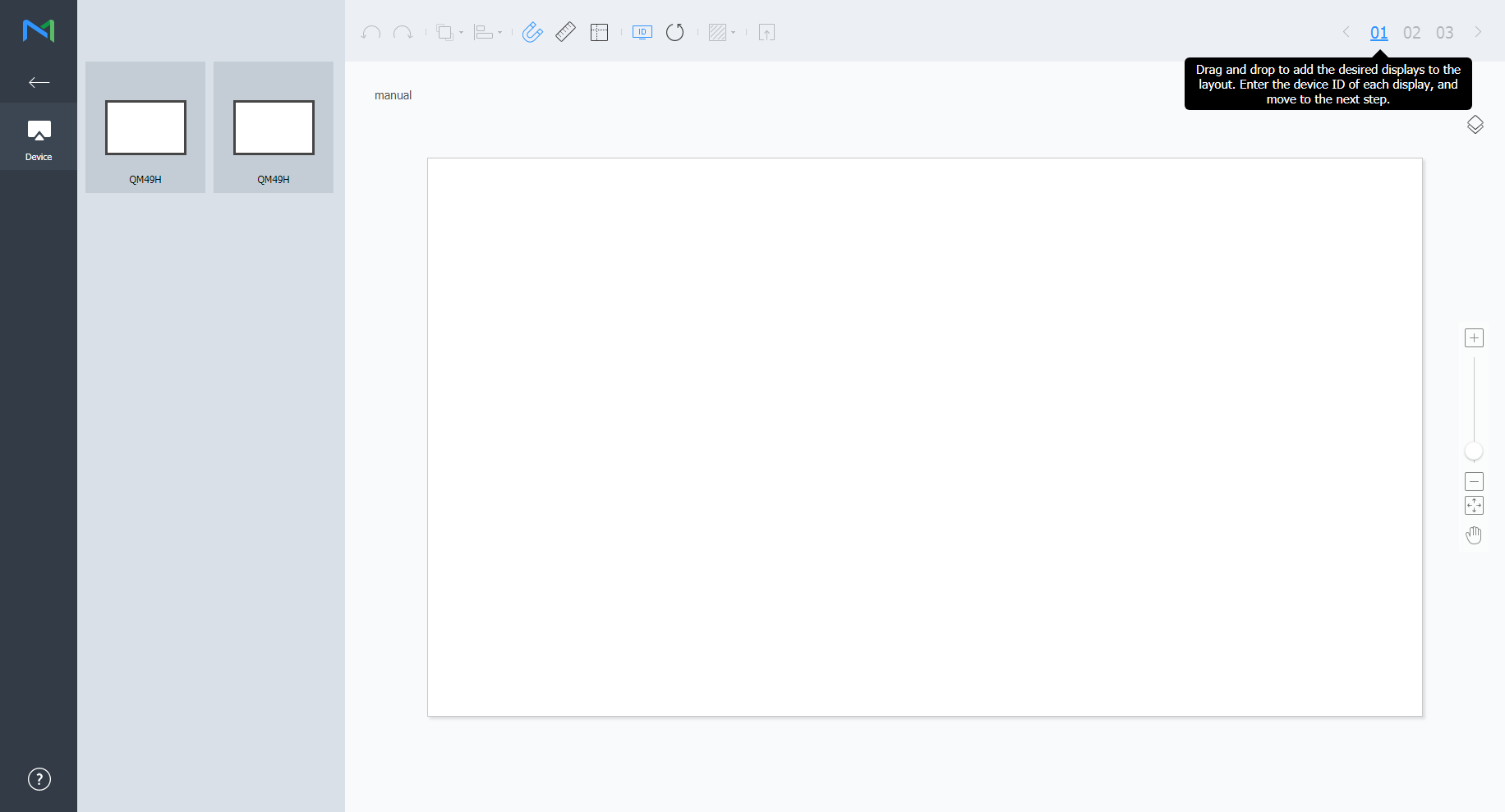
Enter the device ID for each device and click 02.
|
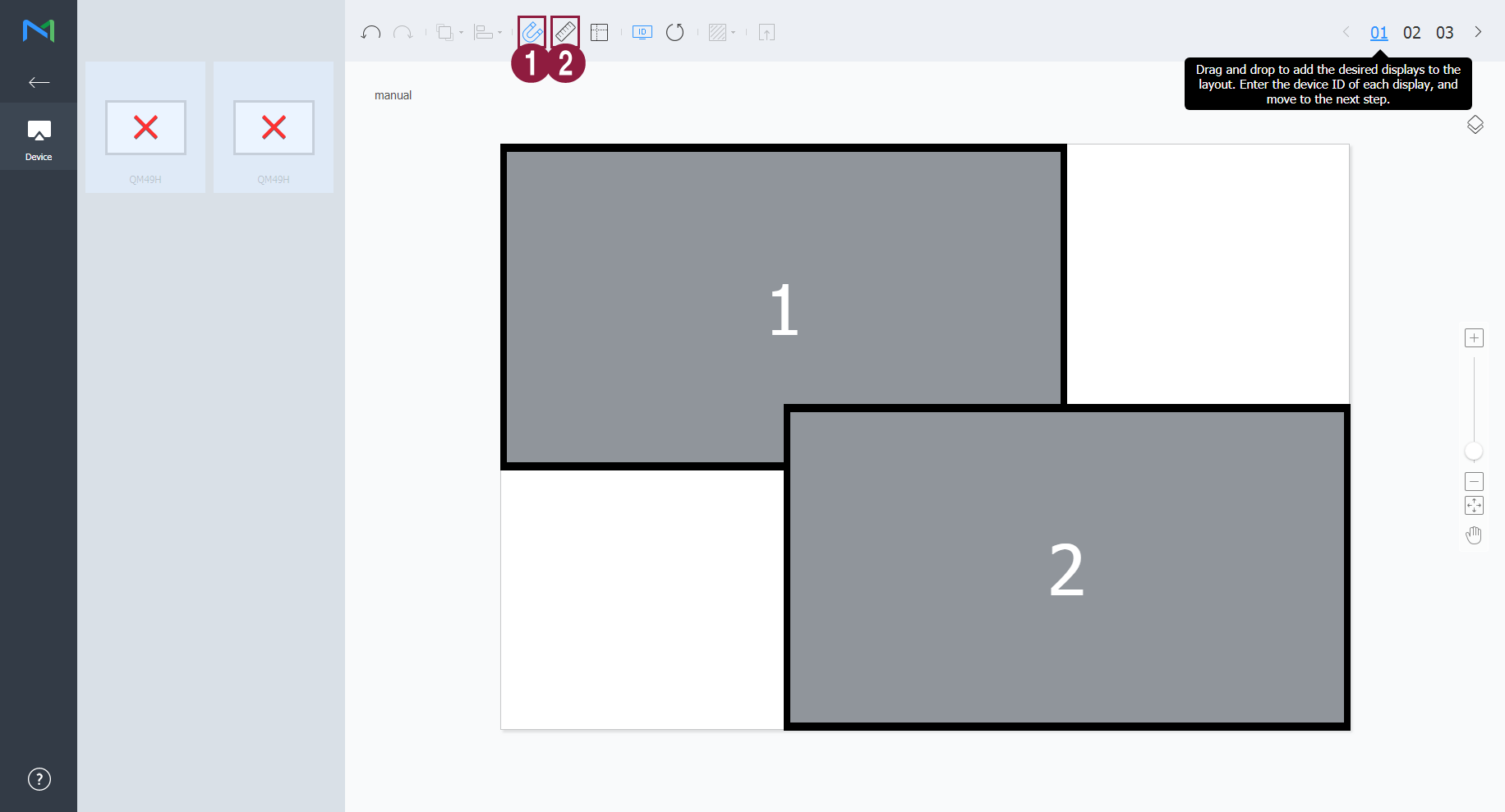
| 1 | Display the device ID on the relevant device screen. |
| 2 | Initialize the device ID for that device. |
Adjust the device positions and click 03.
|

| 1 |
|
| 2 | Adjust the device position more precisely. |
| 3 | Zoom in or out the editor screen view. Use the slide bar to adjust the zoom level. |
| 4 |
|
| 5 | You can review the VWL Layout Editor version and the open source license information. |
 : Undo the last command to revert back to the previous state.
 : Redo a command that has been undone.
 : Align several devices based on desired alignment criteria.
 : Automatically arrange devices to fit the grid.
 : Display the ruler.
 : Display the guides.
 : Select the test pattern to display on the device.
 : Preview the device with the layout applied.
 : Adjust the aspect ratio and position of the editor to fit the window to overview devices.
 : Move the selected device.
- The VideoWall layout will be saved to the server.