Page History
...
| Sv translation | |||||
|---|---|---|---|---|---|
| |||||
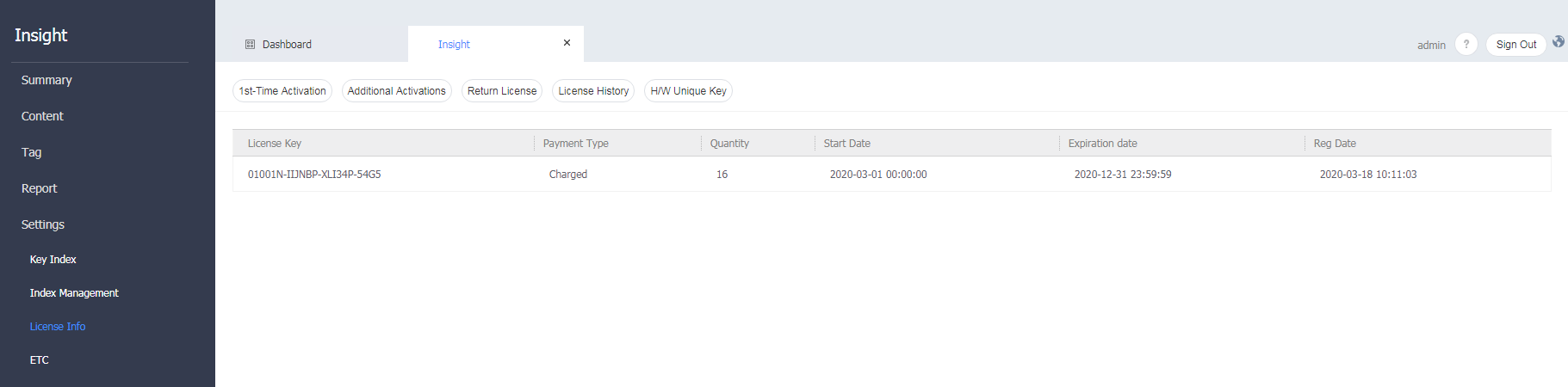
View the activated license information of MagicINFO Insight , and manage the license. On the menu bar on the Insight screen, click Settings > License Info .
License activationRegister your license to use MagicINFO Insight . On the menu bar on the Insight screen, click Settings > License Info > First-time Activation button. Additional license activationExtend the terms of the registered license or change the license information. On the menu bar on the Insight screen, click Settings > License Info > Additional Activation button. Returning a licenseReturn a license that you will not use any longer. On the menu bar on the Insight screen, click Settings > License Info > Return License button. Activating a license by organizationActivate or deactivate a valid license for each organization. From the menu bar on the Insight screen, click Settings > License Info > Activate Organization . Checking the license historyCheck the history of licenses issued and registered from MagicINFO Insight . On the menu bar on the Insight screen, click Settings > License Info > License Issue History button. Checking the H/W unique keyCheck the H/W unique key of the computer on which MagicINFO Insight is installed. On the menu bar on the Insight screen, click Settings > License Info > H/W Unique Key button. |