Comment:
Content imported from a Scroll Translations translation file.
Sv translation
language
ko_KR
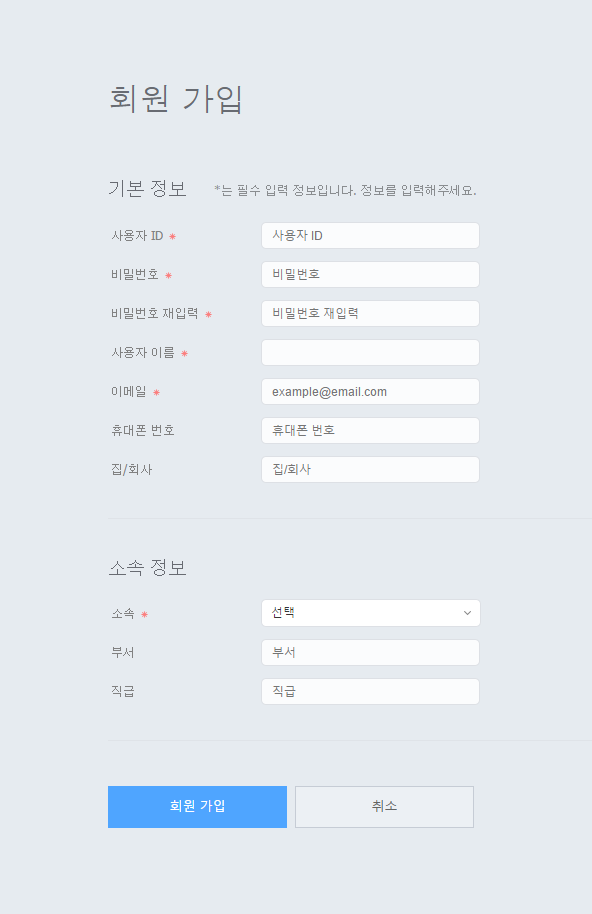
로그인 화면에서 회원 가입을 클릭하세요. 회원 가입 화면으로 이동합니다.
회원 가입 화면에서 사용자의 기본 정보와 ID, 비밀번호를 등록하세요.
정보 입력을 마친 후 회원 가입을 클릭하세요. 회원 가입이 완료됩니다. 회원 가입 후 관리자가 승인하면 MagicInfo Server에 로그인할 수 있습니다.
Stylesheet
class
screen
Tip
title
회원가입 시 유의 사항
사용자 ID는 최소 5자 이상 20자 이하로 입력하세요.
사용자 ID는 영문과 숫자만 입력 가능하고 대소문자를 구별합니다.
비밀번호는 영문과 숫자를 혼용해서 입력하세요. 영문이나 숫자만으로 구성된 비밀번호는 사용할 수 없습니다.
비밀번호는 연속되는 숫자를 3자리 이상 사용하거나, 같은 문자를 3번 이상 반복할 수 없습니다.
비밀번호는 8자 이상 50자 이하로 입력하세요.
Sv translation
language
en
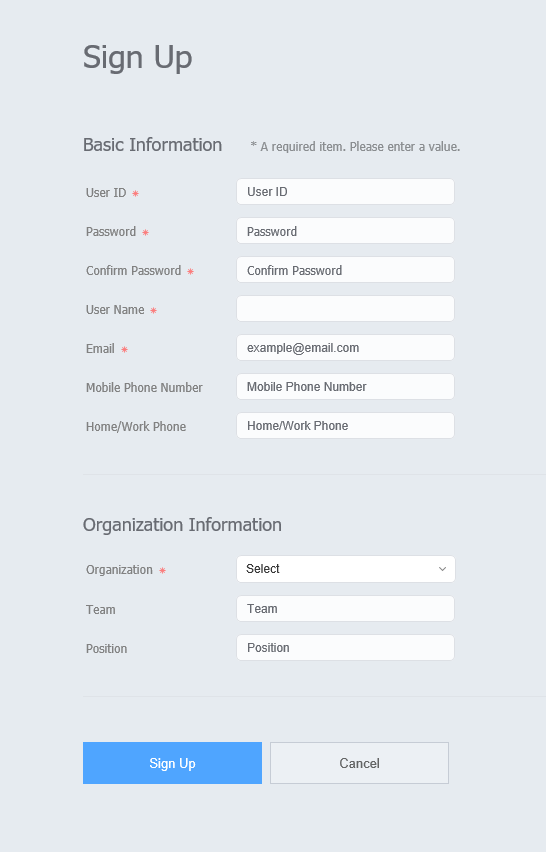
Click Sign Up from the sign-in page. The sign-up page appears.
Enter the basic user information, ID and password in the sign-up page.
Click Sign Up to save the information entered. Sign-up is complete. Users that have signed up can sign into MagicInfo Server after approval by the administrator.
Stylesheet
class
screen
Tip
title
Precautions when signing up
A user ID can be 5 to 20 characters long.
A user ID is case-sensitive and can only contain English alphanumeric characters.
A password can be a combination of alphanumeric characters. You cannot use a password that consists of either letters or numbers alone.
A password cannot contain more than two consecutive numbers or more than two identical characters.