Versions Compared

Key

  • This line was added.
  • This line was removed.
  • Formatting was changed.

...

Sv translation
languageen

To use MagicINFO Insight , first you should set key index by using indexes that were set from the MagicINFO Server .

For details on how to set and manage indexes and key indexes, refer to the following.

Children Display


Setting Index in MagicINFO Server

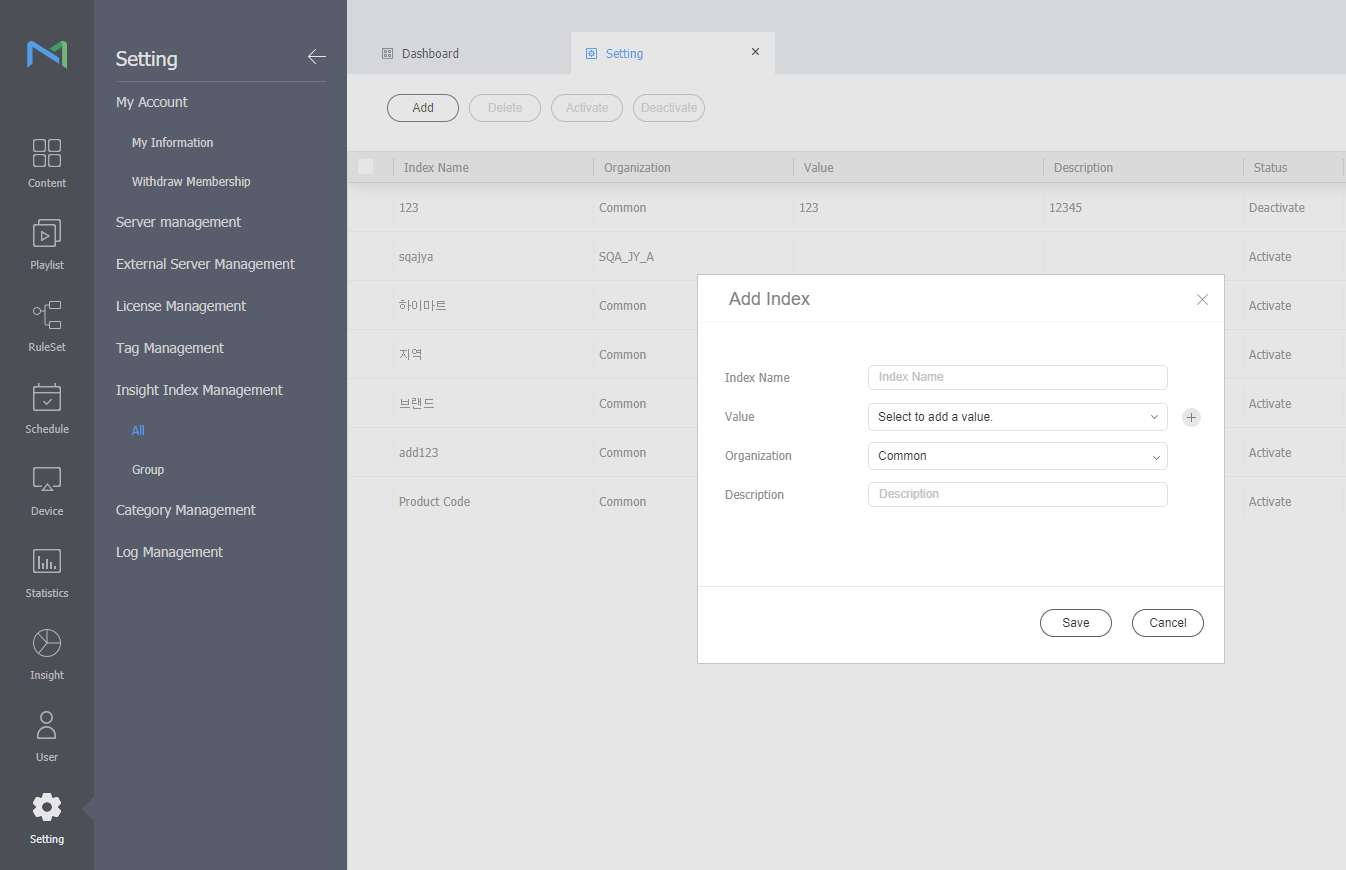
  1. From the menu bar on MagicINFO Server, click Settings > Insight Index Management > All or Group > Add button. And then, add index.
    Image Added
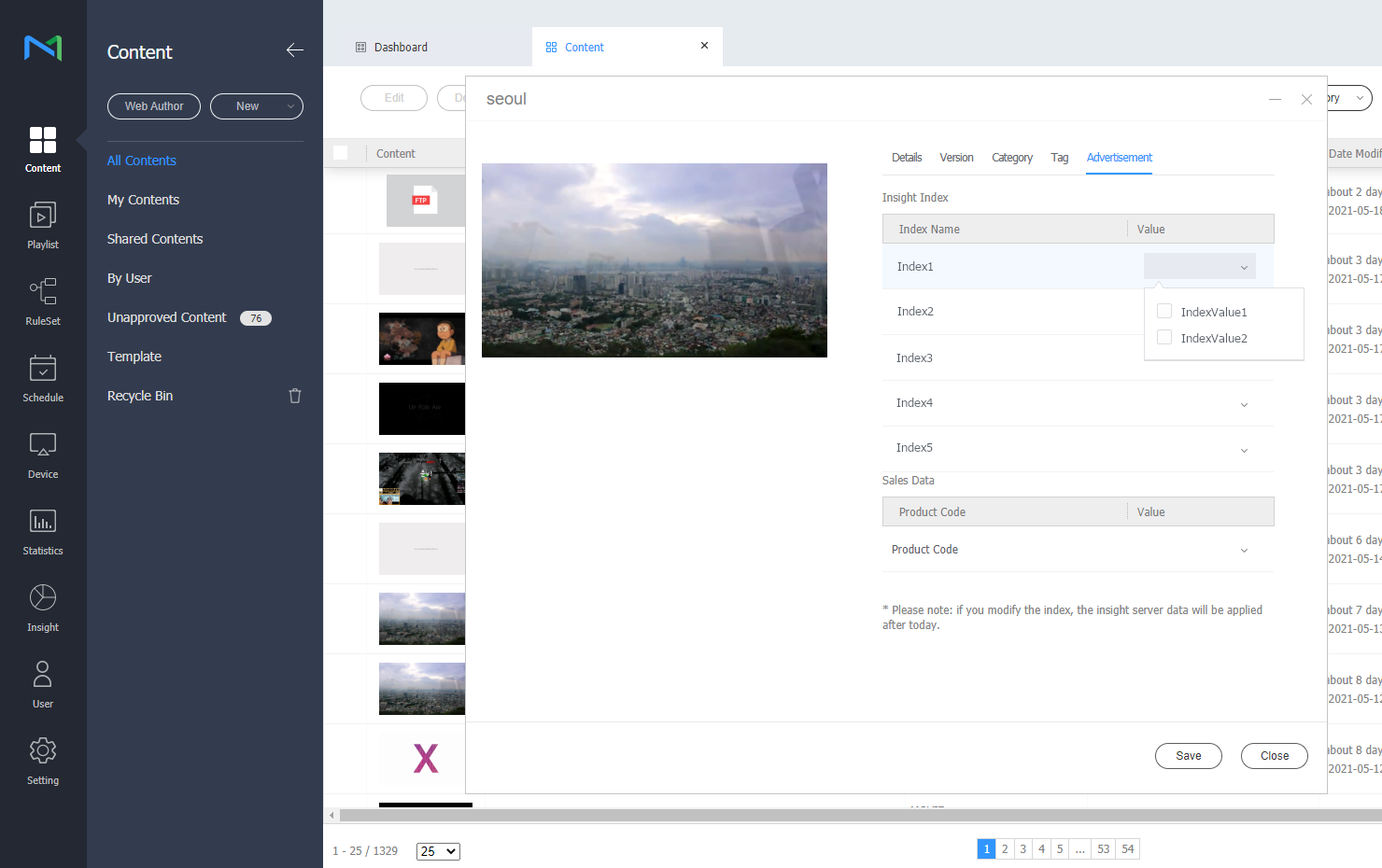
  2. Click Content on the MagicINFO Server menu bar.
  3. Click the name of the content for which index needs to be set.
  4. After click Advertising tab, set the Insight index value.
    Image Added