
Page History
| Sv translation | |||||||||||||||||||||||||||||||||||||||
|---|---|---|---|---|---|---|---|---|---|---|---|---|---|---|---|---|---|---|---|---|---|---|---|---|---|---|---|---|---|---|---|---|---|---|---|---|---|---|---|
| |||||||||||||||||||||||||||||||||||||||
장치 배치하기
섹션 속성 설정하기
편집 영역에서 섹션을 선택하세요.
속성 탭에 섹션 상세 정보가 나타나면 섹션의 위치 정보(회전 각도)를 원하는 대로 설정하세요. | |||||||||||||||||||||||||||||||||||||||
| 위치 |
| ||||||||||||||||||||||||||||||||||||||
| 디스플레이 장치 | 디스플레이 장치 정보는 확인만 가능하며, 수정할 수 없습니다.
| ||||||||||||||||||||||||||||||||||||||
| 위치 | 장치의 위치 정보를 설정할 수 있습니다.
|





| Info | ||
|---|---|---|
| ||
장치 ID는 해당 장치 그룹에 속한 장치 개수에 따라 부여됩니다. 예를 들어, 장치 그룹에 모두 10개의 장치가 있다면 각 장치에는 01~10 까지의 ID가 나타납니다. |
- 편집 영역에서 원하는 장치를 선택하세요.
- 속성 탭에 선택한 장치의 상세 정보가 나타나면 실제 장치에서 확인한 ID를 입력하세요.
편집 영역의 해당 장치 화면에 입력한 ID가 표시됩니다.
| Info | ||
|---|---|---|
| ||
|


레이아웃 미세 조정하기
맵핑 모드에서 설정이 완료되면 미세조정 모드를 클릭하세요.
실제 장치의 위치 설정에 미세한 조정이 필요한 경우 미세조정 모드를 사용하여 간편하게 수정할 수 있습니다.
| Info | ||
|---|---|---|
| ||
|
- 편집 영역에서 원하는 요소(섹션 또는 장치)를 선택하세요.
- 속성 탭에 선택한 요소의 상세 정보가 나타나면 위치 값을 수정하세요.
- 도구 모음에서
 클릭하세요.
변경 사항이 적용됩니다.
| Info | ||
|---|---|---|
| ||
|


MagicInfo Server에 배포하기
비디오월 레이아웃 구성이 완료되면 작업 완료를 클릭하세요.
Info 맵핑 모드에서 장치 ID 설정을 완료해야 작업 완료 단계를 사용할 수 있습니다.
- 비디오월 레이아웃을 MagicInfo Server로 배포할 것인지 확인하는 창이 나타나면 예를 클릭하세요.
구성한 비디오월 레이아웃이 MagicInfo Server로 배포되며, 해당 장치 그룹에 적용됩니다장치의 세부 위치를 조절한 후 03을 클릭하세요.
Stylesheet class screen - 레이아웃 구성이 끝나면 예를 클릭하세요.
- 해당 비디오월 레이아웃이 서버에 저장됩니다.
| Sv translation | |||||||||||||||||||||||||||||||||||||||||||||||||||||||||||||||||||||||||||
|---|---|---|---|---|---|---|---|---|---|---|---|---|---|---|---|---|---|---|---|---|---|---|---|---|---|---|---|---|---|---|---|---|---|---|---|---|---|---|---|---|---|---|---|---|---|---|---|---|---|---|---|---|---|---|---|---|---|---|---|---|---|---|---|---|---|---|---|---|---|---|---|---|---|---|---|
| |||||||||||||||||||||||||||||||||||||||||||||||||||||||||||||||||||||||||||
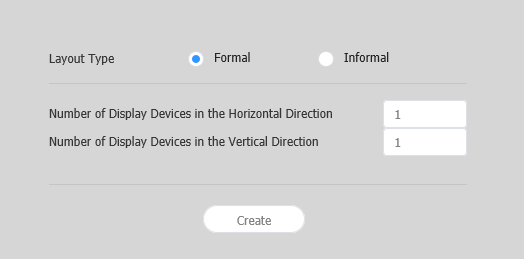
Layout settingsIf you launch Layout Editor from MagicInfo Server, the Layout setting window appears. Configure basic layout settings from the window, and then click Create.
Configuring a layoutConfigure a videowall layout as desired using Layout Mode.
Aligning devices
Arranging devices
Configuring section properties
Configuring device properties
Mapping devicesAfter configuring the required settings in Layout Mode, click Mapping Mode. An ID appears on the actual device screen as soon as Mapping Mode activates. Use the ID to control the virtual device screen in the edit section in conjunction with the actual device.
Finely adjusting layoutsAfter configuring the required settings in Mapping Mode, click Finetuning Mode. To finely adjust location settings for an actual device, use Finetuning Mode to edit the settings.
Deploying to MagicInfo Server
|
...